MCP server
Midscene provides a MCP server that allows AI assistants to control Android devices, automate mobile app testing tasks.
MCP (Model Context Protocol) is a standardized way for AI models to interact with external tools and capabilities. MCP servers expose a set of tools that AI models can invoke to perform various tasks. For Midscene, these tools allow AI models to connect to Android devices, launch apps, interact with UI elements, and more.
Use cases
- Execute automated testing on Android devices
- Control Android apps for UI interaction
Setting up Midscene MCP
Prerequisites
- An OpenAI API key or another supported AI model provider. For more information, see Choosing an AI Model.
- Android adb tool installed and configured
- Android device with USB debugging enabled and connected to your computer
Configuration
Add the Midscene MCP server to your MCP configuration, note that the MIDSCENE_MCP_ANDROID_MODE environment variable is required:
For more information about configuring AI models, see Choosing an AI Model.
Available tools
Midscene MCP provides the following Android device automation tools:
Device management
-
midscene_android_list_devices: List all connected Android devices available for automation
-
midscene_android_connect: Connect to an Android device via ADB
App control
- midscene_android_launch: Launch an app or navigate to a URL on Android device
System operations
-
midscene_android_back: Press the back button on Android device
-
midscene_android_home: Press the home button on Android device
Page interaction
-
midscene_aiTap: Click on an element described in natural language
-
midscene_aiInput: Input text into a form field or element
-
midscene_aiKeyboardPress: Press a specific keyboard key
-
midscene_aiScroll: Scroll the page or a specific element
Verification and observation
-
midscene_aiWaitFor: Wait for a condition to be true on the page
-
midscene_aiAssert: Assert that a condition is true on the page
-
midscene_screenshot: Take a screenshot of the current page
Common issues
How to connect an Android device?
- Ensure Android SDK is installed and ADB is configured
- Enable Developer Options and USB debugging on your Android device
- Connect the device to your computer via USB cable
- Run
adb devicesto confirm the device is connected - Use
midscene_android_list_devicesin MCP to view available devices
How to launch an Android app?
Use the midscene_android_launch tool with parameters that can be:
- App package name: e.g.,
com.android.chrome - Activity name: e.g.,
com.android.chrome/.MainActivity - Web URL: e.g.,
https://www.example.com
Local port conflicts when multiple clients are used
Problem description
When users simultaneously use Midscene MCP in multiple local clients (Claude Desktop, Cursor MCP, etc.), port conflicts may occur causing server errors
Solution
- Temporarily close the MCP server in the extra clients
- Execute the command:
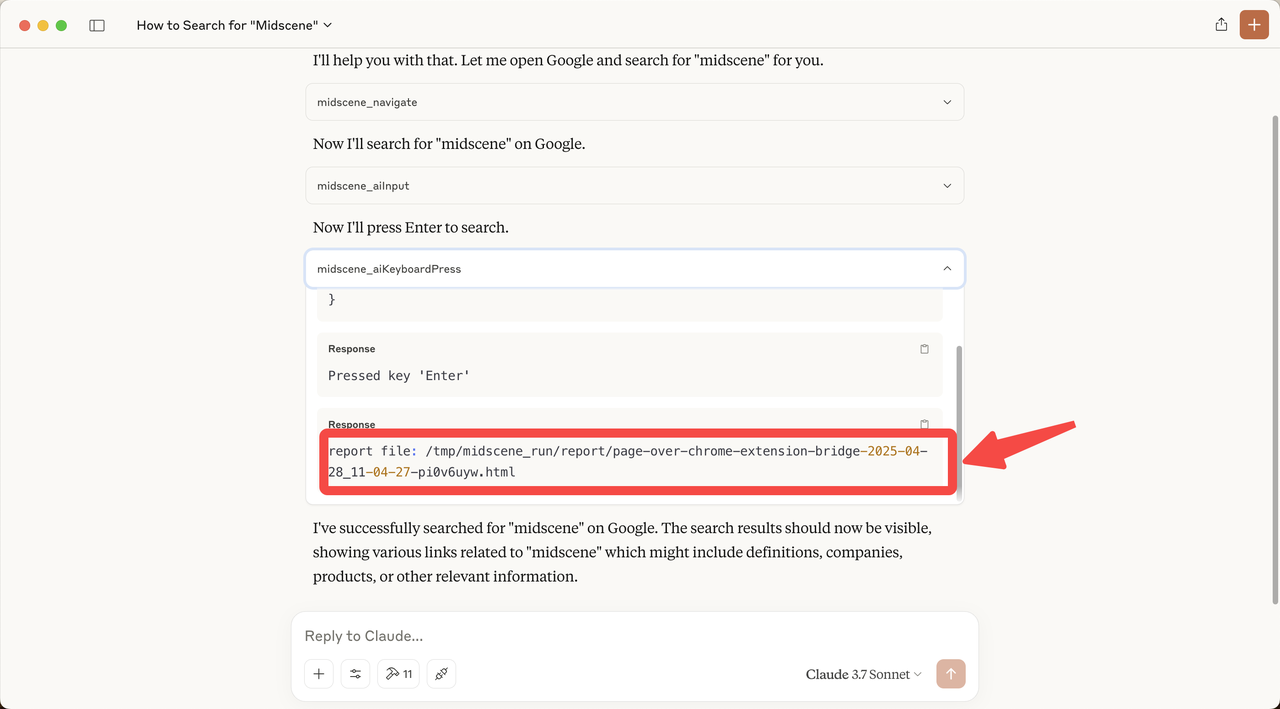
How to access Midscene execution reports
After each task execution, a Midscene task report is generated. You can open this HTML report directly from the command line: