

Changelog
v1.16.0
Highlights
Jev 1.4 support: faster, lower-cost visual E2E testing
Midscene now supports Jev 1.4, continuing our focus on visual understanding to drive UI automation. With this integration, developers can experience faster, lower-cost E2E testing. See the Jev configuration guide for setup instructions and the current experimental limitations.
In the tile-matching game test shown in the demo below, 28 model calls were made, with model inference averaging 393.57 ms (approximately 0.39 seconds) per call. Each call averaged 5,025 input tokens and 67 output tokens, at a model cost of approximately $0.000211 per call. This is calculated at $0.042 per million input tokens, with output tokens free of charge.
<video src="https://lf3-static.bytednsdoc.com/obj/eden-cn/luljzkpt/ljhwZthlaukjlkulzlp/showcases/jev/tile-matching-jev.mp4" controls></video>
Changes
Full Changelog: https://github.com/web-infra-dev/midscene/compare/v1.15.6...v1.16.0
v1.15.6
Changes
Features 🎉
- feat(llm): add dedicated locate model configuration by @EAGzzyCSL in https://github.com/web-infra-dev/midscene/pull/3268
- feat(llm): add experimental Jev model support by @EAGzzyCSL in https://github.com/web-infra-dev/midscene/pull/3271
CI & Chore ⚙️
- chore(core): redesign introduction page by @yuyutaotao in https://github.com/web-infra-dev/midscene/pull/3267
Full Changelog: https://github.com/web-infra-dev/midscene/compare/v1.15.5...v1.15.6
v1.15.5
Changes
Features 🎉
- feat(web): add Puppeteer test runner nodes by @quanru in https://github.com/web-infra-dev/midscene/pull/3160
- feat(report): redesign test report workspace and clarify execution details by @xiong35 in https://github.com/web-infra-dev/midscene/pull/3245
Fixes 🐞
- fix(core): preserve aiAct reference images for independent locating by @EAGzzyCSL in https://github.com/web-infra-dev/midscene/pull/3257
- fix(ios): wait for input readiness and restore focus after clearing by @quanru in https://github.com/web-infra-dev/midscene/pull/3239
- fix(shared): preserve empty string CLI argument values by @quanru in https://github.com/web-infra-dev/midscene/pull/3260
- fix(core): align default scrolling across Android, iOS, and HarmonyOS by @resonlei in https://github.com/web-infra-dev/midscene/pull/3225
- fix(web-integration): preserve CLI viewport after disconnect by @quanru in https://github.com/web-infra-dev/midscene/pull/3261
- fix(test): validate wait options and preserve cross-module screenshots by @quanru in https://github.com/web-infra-dev/midscene/pull/3246
- fix(web-integration): launch cookie tests without sandbox on Linux CI by @xiong35 in https://github.com/web-infra-dev/midscene/pull/3269
CI & Chore ⚙️
- chore(core): add a highlight section to release note by @yuyutaotao in https://github.com/web-infra-dev/midscene/pull/3256
New Contributors
- @resonlei made their first contribution in https://github.com/web-infra-dev/midscene/pull/3225
Full Changelog: https://github.com/web-infra-dev/midscene/compare/v1.15.4...v1.15.5
v1.15.4
Changes
2026-10-14 · GitHub Release
Features 🎉
- feat(test): add TodoMVC create starters and example sync by @xiong35 in https://github.com/web-infra-dev/midscene/pull/3210
Fixes 🐞
- fix(site): restore x profile link in ios showcases by @ottomao in https://github.com/web-infra-dev/midscene/pull/3145
- fix(core): clarify planning cycle limit error by @EAGzzyCSL in https://github.com/web-infra-dev/midscene/pull/3251
Documentation 📖
- docs(core): guide to use chatgpt subscription by @yuyutaotao in https://github.com/web-infra-dev/midscene/pull/3248
Full Changelog: https://github.com/web-infra-dev/midscene/compare/v1.15.3...v1.15.4
v1.15.3
Changes
2026-10-13 · GitHub Release
Features 🎉
- feat(test): generate Markdown results after each test run by @yuyutaotao in https://github.com/web-infra-dev/midscene/pull/3240
Fixes 🐞
- fix(test): clarify project creation guidance and test reference by @yuyutaotao in https://github.com/web-infra-dev/midscene/pull/3229
Full Changelog: https://github.com/web-infra-dev/midscene/compare/v1.15.2...v1.15.3
v1.15.2
Changes
2026-10-12 · GitHub Release
Fixes 🐞
- fix(core): drain cancelled operations before runner continuation by @codeestX in https://github.com/web-infra-dev/midscene/pull/3216
- fix(site): redirect historical documentation URLs by @yuyutaotao in https://github.com/web-infra-dev/midscene/pull/3237
- fix(workflow): centralize AI CI connection timeout by @xiong35 in https://github.com/web-infra-dev/midscene/pull/3238
- fix(report): retain test evidence and clarify execution failures by @xiong35 in https://github.com/web-infra-dev/midscene/pull/3226
Documentation 📖
- docs(site): add Rome OS and reorder homepage users by @yuyutaotao in https://github.com/web-infra-dev/midscene/pull/3231
CI & Chore ⚙️
- ci(workflow): increase AI network connection attempt timeout by @EAGzzyCSL in https://github.com/web-infra-dev/midscene/pull/3230
Full Changelog: https://github.com/web-infra-dev/midscene/compare/v1.15.1...v1.15.2
v1.15.1
Changes
2026-10-12 · GitHub Release
Fixes 🐞
- fix(test): load tsx through its ESM entry for project configs by @yuyutaotao in https://github.com/web-infra-dev/midscene/pull/3227
Full Changelog: https://github.com/web-infra-dev/midscene/compare/v1.15.0...v1.15.1
v1.15.0
Changes
2026-10-10 · GitHub Release
Features 🎉
- feat(core): add custom action readiness hook by @xiong35 in https://github.com/web-infra-dev/midscene/pull/3133
- feat(test): add model verification command and setup guidance by @yuyutaotao in https://github.com/web-infra-dev/midscene/pull/3209
- feat(llm): configure model streaming and record call metadata by @EAGzzyCSL in https://github.com/web-infra-dev/midscene/pull/3214
- feat(cli): add ChatGPT SIWC login and refresh by @EAGzzyCSL in https://github.com/web-infra-dev/midscene/pull/3215
Fixes 🐞
- fix(report): prepare timeline screenshots in atomic groups by @xiong35 in https://github.com/web-infra-dev/midscene/pull/3211
- fix(test): preserve CLI error stacks and causes by @xiong35 in https://github.com/web-infra-dev/midscene/pull/3212
Refactors ♻️
- refactor(cli): nest SIWC credentials with file metadata by @EAGzzyCSL in https://github.com/web-infra-dev/midscene/pull/3220
Documentation 📖
- docs(site): refresh homepage messaging and layout by @yuyutaotao in https://github.com/web-infra-dev/midscene/pull/3204
CI & Chore ⚙️
- chore(docs): update homepage by @yuyutaotao in https://github.com/web-infra-dev/midscene/pull/3219
Full Changelog: https://github.com/web-infra-dev/midscene/compare/v1.14.0...v1.15.0
v1.14.0
Changes
2026-09-29 · GitHub Release
Features 🎉
- feat(web-integration): add BrowserAgent page selection actions by @quanru in https://github.com/web-infra-dev/midscene/pull/2774
- feat(test): add setAIContext node for midscene/test by @yuyutaotao in https://github.com/web-infra-dev/midscene/pull/3188
- feat(ios): support gateway WDA base URLs by @quanru in https://github.com/web-infra-dev/midscene/pull/3187
- feat(core): support Responses API with configuration and documentation by @EAGzzyCSL in https://github.com/web-infra-dev/midscene/pull/3161
Fixes 🐞
- fix(core): record HTTP responses on model parsing failures by @EAGzzyCSL in https://github.com/web-infra-dev/midscene/pull/3185
- fix(site): restore legacy URLs and refresh favicon cache by @yuyutaotao in https://github.com/web-infra-dev/midscene/pull/3198
- fix(site): redirect retired documentation URLs by @yuyutaotao in https://github.com/web-infra-dev/midscene/pull/3202
- fix(cli): upgrade yargs for Node.js 26 compatibility by @EAGzzyCSL in https://github.com/web-infra-dev/midscene/pull/3203
Refactors ♻️
- refactor(core): configure locate result keys and aliases by @EAGzzyCSL in https://github.com/web-infra-dev/midscene/pull/3189
Documentation 📖
- docs(site): consolidate images under a dedicated directory by @yuyutaotao in https://github.com/web-infra-dev/midscene/pull/3186
Full Changelog: https://github.com/web-infra-dev/midscene/compare/v1.13.3...v1.14.0
v1.13.3
Changes
2026-09-23 · GitHub Release
Features 🎉
- feat(test): expose run health metrics and inline report assets by @xiong35 in https://github.com/web-infra-dev/midscene/pull/3172
Full Changelog: https://github.com/web-infra-dev/midscene/compare/v1.13.2...v1.13.3
v1.13.2
Changes
2026-09-23 · GitHub Release
Fixes 🐞
- fix(computer): avoid encoded PowerShell transport on Windows by @quanru in https://github.com/web-infra-dev/midscene/pull/3166
Documentation 📖
- docs(site): add GPT-6 Sol and Luna model guidance by @EAGzzyCSL in https://github.com/web-infra-dev/midscene/pull/3182
- docs(site): add midscene-android and midscene-jev-runner to Awesome Midscene by @xiong35 in https://github.com/web-infra-dev/midscene/pull/3179
CI & Chore ⚙️
- chore(test): generate separate node references for each project by @yuyutaotao in https://github.com/web-infra-dev/midscene/pull/3181
- chore(test): update spec for midscene test by @yuyutaotao in https://github.com/web-infra-dev/midscene/pull/3184
Full Changelog: https://github.com/web-infra-dev/midscene/compare/v1.13.1...v1.13.2
v1.13.1
Changes
2026-09-22 · GitHub Release
Features 🎉
- feat(report): redesign test reports and unify timeline interactions by @xiong35 in https://github.com/web-infra-dev/midscene/pull/3174
Fixes 🐞
- fix(cli): allow sequential YAML files to reuse one page by @quanru in https://github.com/web-infra-dev/midscene/pull/3164
Documentation 📖
- docs(site): update Xiaomi MiMo model guidance by @EAGzzyCSL in https://github.com/web-infra-dev/midscene/pull/3176
CI & Chore ⚙️
- chore(workflow): upgrade rstest to 0.12.0 by @fi3ework in https://github.com/web-infra-dev/midscene/pull/3178
Full Changelog: https://github.com/web-infra-dev/midscene/compare/v1.13.0...v1.13.1
v1.13.0
Changes
2026-09-20 · GitHub Release
Features 🎉
- feat(test): unify native Test and legacy YAML execution and reporting by @xiong35 in https://github.com/web-infra-dev/midscene/pull/3139
Fixes 🐞
- fix(report): support dark mobile tabs by @quanru in https://github.com/web-infra-dev/midscene/pull/3162
- fix(shared): enable declaration maps by @Amour1688 in https://github.com/web-infra-dev/midscene/pull/3165
Documentation 📖
- docs(site): generalize GPT original detail limitations by @EAGzzyCSL in https://github.com/web-infra-dev/midscene/pull/3163
New Contributors
- @Amour1688 made their first contribution in https://github.com/web-infra-dev/midscene/pull/3165
Full Changelog: https://github.com/web-infra-dev/midscene/compare/v1.12.9...v1.13.0
v1.12.9
Changes
2026-09-17 · GitHub Release
Features 🎉
- feat(computer): support desktop swipe gestures by @quanru in https://github.com/web-infra-dev/midscene/pull/3144
- feat(core): expose device adapter schema and types by @quanru in https://github.com/web-infra-dev/midscene/pull/3153
- feat(report): support mobile steps and player views by @quanru in https://github.com/web-infra-dev/midscene/pull/3155
- feat(report): support portable step selectors by @quanru in https://github.com/web-infra-dev/midscene/pull/3159
- feat(test): support native ESM project configs by @quanru in https://github.com/web-infra-dev/midscene/pull/3154
Fixes 🐞
- fix(harmony): convert swipe duration to HDC speed by @quanru in https://github.com/web-infra-dev/midscene/pull/3149
Refactors ♻️
- refactor(core): centralize model request lifecycle and protocol calls by @EAGzzyCSL in https://github.com/web-infra-dev/midscene/pull/3147
Full Changelog: https://github.com/web-infra-dev/midscene/compare/v1.12.8...v1.12.9
v1.12.8
Changes
2026-09-16 · GitHub Release
Fixes 🐞
- fix(core): retry invalid planning action parameters by @EAGzzyCSL in https://github.com/web-infra-dev/midscene/pull/3138
- fix(core): retry incomplete planning responses by @EAGzzyCSL in https://github.com/web-infra-dev/midscene/pull/3146
- fix(core): clarify scroll and swipe intent in planning by @EAGzzyCSL in https://github.com/web-infra-dev/midscene/pull/3136
Full Changelog: https://github.com/web-infra-dev/midscene/compare/v1.12.7...v1.12.8
v1.12.7
Changes
2026-09-15 · GitHub Release
Fixes 🐞
- fix(core): clarify and validate scroll and swipe actions by @EAGzzyCSL in https://github.com/web-infra-dev/midscene/pull/3134
- fix(computer): improve modifier-key input compatibility in desktop clients by @quanru in https://github.com/web-infra-dev/midscene/pull/3124
- fix(web-integration): reuse static UI context by @EAGzzyCSL in https://github.com/web-infra-dev/midscene/pull/3089
- fix(android-playground): preserve scrcpy GOP integrity by @quanru in https://github.com/web-infra-dev/midscene/pull/3142
- fix(core): record YAML sleep in reports without model dependencies by @quanru in https://github.com/web-infra-dev/midscene/pull/3118
- fix(shared): preserve schema-typed CLI strings by @quanru in https://github.com/web-infra-dev/midscene/pull/3135
- fix(computer): capture reliable opaque RDP screenshots by @quanru in https://github.com/web-infra-dev/midscene/pull/3140
Documentation 📖
- docs(site): add application knowledge guide and update context examples by @yuyutaotao in https://github.com/web-infra-dev/midscene/pull/3143
Full Changelog: https://github.com/web-infra-dev/midscene/compare/v1.12.6...v1.12.7
v1.12.6
Changes
2026-09-10 · GitHub Release
Features 🎉
- feat(report): add unified Midscene Test reports with visual debugging by @xiong35 in https://github.com/web-infra-dev/midscene/pull/3109
- feat(test): support project-scoped node registration by @LawisChen in https://github.com/web-infra-dev/midscene/pull/3111
Fixes 🐞
- fix(core): collect streaming usage through stream completion by @EAGzzyCSL in https://github.com/web-infra-dev/midscene/pull/3117
- fix(core): preserve global model config with custom clients by @linhongyu510 in https://github.com/web-infra-dev/midscene/pull/3094
Refactors ♻️
- refactor(core): split model service caller by protocol by @EAGzzyCSL in https://github.com/web-infra-dev/midscene/pull/3116
- refactor(test): align platform test exports and clarify project docs by @yuyutaotao in https://github.com/web-infra-dev/midscene/pull/3123
Documentation 📖
- docs(site): fix reference callout boundary and section headings by @EAGzzyCSL in https://github.com/web-infra-dev/midscene/pull/3121
- docs(site): update DeepSeek Flash model configuration by @EAGzzyCSL in https://github.com/web-infra-dev/midscene/pull/3131
CI & Chore ⚙️
- chore(test): add model configuration template to .env.example and update README; adjust create command tests by @yuyutaotao in https://github.com/web-infra-dev/midscene/pull/3115
New Contributors
- @LawisChen made their first contribution in https://github.com/web-infra-dev/midscene/pull/3111
Full Changelog: https://github.com/web-infra-dev/midscene/compare/v1.12.5...v1.12.6
v1.12.5
Changes
2026-09-08 · GitHub Release
Features 🎉
- feat(test): add 'create' command to create testing project by @yuyutaotao in https://github.com/web-infra-dev/midscene/pull/3102
- feat(core): add GPT-6 adapter and model-specific Codex parameters by @EAGzzyCSL in https://github.com/web-infra-dev/midscene/pull/3110
Fixes 🐞
- fix(computer): smooth native drag trajectory by @quanru in https://github.com/web-infra-dev/midscene/pull/3098
- fix(studio): restrict file exports and default local services to loopback by @xiong35 in https://github.com/web-infra-dev/midscene/pull/3103
- fix(visualizer): show aiAct output alongside report by @EAGzzyCSL in https://github.com/web-infra-dev/midscene/pull/3091
- fix(core): unify normalized coordinate mapping and rounding by @EAGzzyCSL in https://github.com/web-infra-dev/midscene/pull/3113
Refactors ♻️
- refactor(core): use authoritative centers throughout localization by @EAGzzyCSL in https://github.com/web-infra-dev/midscene/pull/3100
Documentation 📖
- docs(site): unify Midscene Test branding by @yuyutaotao in https://github.com/web-infra-dev/midscene/pull/3106
- docs(workflow): organize readmes around GUI Agent and Testing Kit by @yuyutaotao in https://github.com/web-infra-dev/midscene/pull/3108
- docs(site): clarify execution records and reorder testing kit by @yuyutaotao in https://github.com/web-infra-dev/midscene/pull/3112
CI & Chore ⚙️
- ci(workflow): add
notify_stable_releasedispatch option to toggle IM notifications by @yuyutaotao in https://github.com/web-infra-dev/midscene/pull/3107
Full Changelog: https://github.com/web-infra-dev/midscene/compare/v1.12.4...v1.12.5
v1.12.4
Changes
2026-09-07 · GitHub Release
Features 🎉
- feat(core): support scoped AI contexts and stateless Test Runner workflows by @xiong35 in https://github.com/web-infra-dev/midscene/pull/3065
Fixes 🐞
- fix(computer): handle Linux delayed input by @simplyme0823 in https://github.com/web-infra-dev/midscene/pull/3081
- fix(cli): honor HarmonyOS batch target overrides by @quanru in https://github.com/web-infra-dev/midscene/pull/3082
- fix(core): retry locate responses with missing coordinates by @EAGzzyCSL in https://github.com/web-infra-dev/midscene/pull/3095
- fix(test): settle running steps on cancellation by @quanru in https://github.com/web-infra-dev/midscene/pull/3088
- fix(core): avoid duplicate YAML assertion errors by @quanru in https://github.com/web-infra-dev/midscene/pull/3044
Performance 🚀
- perf(shared): cache system Chrome path resolution by @quanru in https://github.com/web-infra-dev/midscene/pull/3052
- perf(visualizer): memoize selected action lookup by @quanru in https://github.com/web-infra-dev/midscene/pull/3054
Documentation 📖
- docs(core): update overview for test runner by @yuyutaotao in https://github.com/web-infra-dev/midscene/pull/3092
- docs(site): use official Doubao pricing by @simplyme0823 in https://github.com/web-infra-dev/midscene/pull/3093
Testing 🧪
- test(web-integration): expand input E2E coverage by @quanruzhuoxiu in https://github.com/web-infra-dev/midscene/pull/2953
CI & Chore ⚙️
- chore(test): align node contracts with agent APIs by @yuyutaotao in https://github.com/web-infra-dev/midscene/pull/3101
Full Changelog: https://github.com/web-infra-dev/midscene/compare/v1.12.3...v1.12.4
v1.12.3
Changes
2026-09-02 · GitHub Release
Features 🎉
- feat(core): add configurable text input strategies by @quanruzhuoxiu in https://github.com/web-infra-dev/midscene/pull/3042
Fixes 🐞
- fix(android): recover static scrcpy screenshots in-band by @quanru in https://github.com/web-infra-dev/midscene/pull/3074
- fix(ios): make keyboard auto-dismiss best effort by @quanru in https://github.com/web-infra-dev/midscene/pull/3075
- fix(android): harden scrcpy freshness recovery by @quanru in https://github.com/web-infra-dev/midscene/pull/3080
- fix(studio): restore packaged Android device preview by @quanru in https://github.com/web-infra-dev/midscene/pull/3077
- fix(core): make JSON object validation explicit by @EAGzzyCSL in https://github.com/web-infra-dev/midscene/pull/3076
- fix(computer): use physical pixels for Windows DPI scaling by @quanru in https://github.com/web-infra-dev/midscene/pull/3064
- fix(core): use rstest mock API in core tests by @quanru in https://github.com/web-infra-dev/midscene/pull/3084
Refactors ♻️
- refactor(core): decouple model interaction protocols by @EAGzzyCSL in https://github.com/web-infra-dev/midscene/pull/3070
- refactor(core): simplify planning locate parameters by @EAGzzyCSL in https://github.com/web-infra-dev/midscene/pull/3073
Documentation 📖
- docs(site): refresh homepage model strategy cards by @EAGzzyCSL in https://github.com/web-infra-dev/midscene/pull/3035
CI & Chore ⚙️
- chore(workflow): migrate core to rstest by @fi3ework in https://github.com/web-infra-dev/midscene/pull/3033
Other Changes
- style(site): polish homepage toolkit cards and dividers by @xiong35 in https://github.com/web-infra-dev/midscene/pull/3078
Full Changelog: https://github.com/web-infra-dev/midscene/compare/v1.12.2...v1.12.3
v1.12.2
Changes
2026-08-28 · GitHub Release
Features 🎉
- feat(core): apply preferred language to planning details by @EAGzzyCSL in https://github.com/web-infra-dev/midscene/pull/3062
Fixes 🐞
- fix(android): avoid scrcpy server upload memory leak by @quanru in https://github.com/web-infra-dev/midscene/pull/3048
- fix(web-integration): validate CDP endpoint protocol by @quanru in https://github.com/web-infra-dev/midscene/pull/3051
- fix(android-playground): correct dev:server bin path by @quanru in https://github.com/web-infra-dev/midscene/pull/3050
- fix(shared): preserve recorder artifacts during signal shutdown by @quanru in https://github.com/web-infra-dev/midscene/pull/3049
Refactors ♻️
- refactor(core): organize DeepSeek model files by @EAGzzyCSL in https://github.com/web-infra-dev/midscene/pull/3059
Documentation 📖
- docs(site): add appcontrolbench by @simplyme0823 in https://github.com/web-infra-dev/midscene/pull/3031
- docs(site): clarify preferred language behavior by @EAGzzyCSL in https://github.com/web-infra-dev/midscene/pull/3061
- docs(site): clarify AppControlBench chart grouping by @simplyme0823 in https://github.com/web-infra-dev/midscene/pull/3063
Full Changelog: https://github.com/web-infra-dev/midscene/compare/v1.12.1...v1.12.2
v1.12.1
Changes
2026-08-27 · GitHub Release
Features 🎉
- feat(site): implement the V4 homepage design by @xiong35 in https://github.com/web-infra-dev/midscene/pull/3025
- feat(test): add P0 platform preset nodes by @quanru in https://github.com/web-infra-dev/midscene/pull/3026
Fixes 🐞
- fix(android): adopt upstream ADB disconnect fix by @quanru in https://github.com/web-infra-dev/midscene/pull/3016
- fix(core): make task execution errors transport-safe by @quanru in https://github.com/web-infra-dev/midscene/pull/3000
- fix(ios): make keyboard dismissal deterministic by @quanru in https://github.com/web-infra-dev/midscene/pull/3017
- fix(site): restore docs header alignment and update AVATR logo by @xiong35 in https://github.com/web-infra-dev/midscene/pull/3032
- fix(android): constrain replanning screenshots to scrcpy max size by @quanru in https://github.com/web-infra-dev/midscene/pull/3021
- fix(android): configure bitrate and harden scrcpy recovery by @quanru in https://github.com/web-infra-dev/midscene/pull/3009
- fix(core): deduplicate multimodal reference images in reports by @quanru in https://github.com/web-infra-dev/midscene/pull/3019
- fix(cli): restore YAML task progress output by @quanru in https://github.com/web-infra-dev/midscene/pull/3028
- fix(cli): preserve serial YAML config order by @quanru in https://github.com/web-infra-dev/midscene/pull/2972
- fix(workflow): replace simple-git-hooks with husky by @EAGzzyCSL in https://github.com/web-infra-dev/midscene/pull/3037
- fix(cli): isolate shared-browser YAML tabs by @quanru in https://github.com/web-infra-dev/midscene/pull/2967
- fix(android): avoid unreliable select-all when clearing inputs by @quanru in https://github.com/web-infra-dev/midscene/pull/3018
- fix(test): load TypeScript configs on Windows by @dajiaohuang in https://github.com/web-infra-dev/midscene/pull/3030
- fix(core): omit DeepSeek temperature in thinking mode by @EAGzzyCSL in https://github.com/web-infra-dev/midscene/pull/3043
- fix(shared): remove Canvas image fallback by @quanruzhuoxiu in https://github.com/web-infra-dev/midscene/pull/2888
Documentation 📖
- docs(site): update DeepSeek card description by @EAGzzyCSL in https://github.com/web-infra-dev/midscene/pull/3036
- docs(site): add v1.11 and v1.12 changelogs by @quanruzhuoxiu in https://github.com/web-infra-dev/midscene/pull/3034
- docs(site): move DeepSeek guidance into model notes by @EAGzzyCSL in https://github.com/web-infra-dev/midscene/pull/3039
Testing 🧪
- test(report): verify screenshot pixel integrity by @linhongyu510 in https://github.com/web-infra-dev/midscene/pull/2976
CI & Chore ⚙️
- chore(workflow): migrate cli and web-integration to rstest by @fi3ework in https://github.com/web-infra-dev/midscene/pull/3007
Other Changes
- 支持bridge 模式创建不打扰用户的 tab by @RainMountainCao in https://github.com/web-infra-dev/midscene/pull/3038
New Contributors
- @RainMountainCao made their first contribution in https://github.com/web-infra-dev/midscene/pull/3038
- @dajiaohuang made their first contribution in https://github.com/web-infra-dev/midscene/pull/3030
- @linhongyu510 made their first contribution in https://github.com/web-infra-dev/midscene/pull/2976
Full Changelog: https://github.com/web-infra-dev/midscene/compare/v1.12.0...v1.12.1
v1.12 - DeepSeek V4, Midscene Test, and Report Timing Summaries
v1.12 adds DeepSeek V4 vision model support, introduces Midscene Test (Beta), and adds timing summaries to reports.
DeepSeek V4 Vision Model Support
- Added support for
deepseek-v4-flash-vision-exp. See Common Model Configuration for setup and Midscene 1.12: Support for DeepSeek V4 Flash Vision Exp Multimodal Model for details.
Midscene Test (Beta)
- Added
@midscene/testfor natural-language tests in YAML with TypeScript Node extensions. Midscene Test will gradually replace the legacy YAML automation solution; its protocol and APIs remain in Beta. See the Midscene Test overview.
Reports and Reliability
- The Report sidebar now shows total elapsed time and model-call time. Markdown reports also summarize time and token usage by model.
- The screenshot pipeline now saves observation frames as JPEG, reducing the storage footprint of run artifacts.
- Fixed resource resolution for external yadb and scrcpy binaries in Electron ASAR packages.
v1.11 - Cross-Platform Reliability Improvements
v1.11 improves model verification, mobile input, and report generation reliability.
Reliability and Documentation
- Fixed the model verification callback losing its Playground SDK method context.
- Fixed HarmonyOS explicit app launches failing to resolve declared abilities or mapped launch targets.
- Android and HarmonyOS now select all text before clearing an input, improving compatibility across input methods and controls.
- Playwright report filenames are now bounded and collision-resistant, preventing
ENAMETOOLONGfailures from long titles. - Added execution cost data to the Doubao Seed Android showcase.
v1.10 - BDD-Style Scripts, Doubao-Seed-2.1, and MCP Retirement
v1.10 adds BDD-style Gherkin script execution, upgrades the recommended Doubao model to Doubao-Seed-2.1, and formally retires MCP server packages. Going forward, use Skills and the platform CLIs when AI agents need to drive Midscene.
BDD-Style Scripts with Gherkin
- Added
agent.runGherkinScenario()for running Gherkin scenarios directly from JavaScript / TypeScript. - Added the
runGherkinScenariostep for YAML flows, so natural-language scenarios can be written asGiven/When/Thensteps and executed in order. Given/Whenmap toaiAct, whileThenand followingAnd/Butsteps map toaiAssert. This keeps test cases readable in natural language while giving them a stable step structure.- Midscene currently supports a single-
Scenariosubset of Gherkin. BDD-related capabilities are still in Beta. See: BDD-Style Scripts with Gherkin
New Model Support
- Recommended and supported
Doubao-Seed-2.1-turbo, which has very fast localization speed and strong localization quality in our current private evaluation set. - The Doubao Seed family now uses
MIDSCENE_MODEL_FAMILY="doubao-seed", while the legacydoubao-visionfamily remains compatible. See: Common Model Configuration, Model Strategy
MCP Retirement
- Midscene no longer ships MCP server packages, including
@midscene/web-bridge-mcp,@midscene/android-mcp,@midscene/ios-mcp,@midscene/harmony-mcp,@midscene/computer-mcp, and@midscene/mcp. - Use Skills and the platform CLIs when AI coding agents need to operate browsers, mobile devices, or desktop apps.
- If you still depend on MCP servers, pin Midscene to
1.9.8. This is the final version that includes MCP support. See: MCP Integration Has Been Retired
v1.9 - New Model Support, YAML Automation, and AndroidWorld Benchmark
v1.9 expands model support, improves YAML automation, and makes reports, Android automation, Web input, and desktop automation more reliable.
AndroidWorld Benchmark
Midscene now includes an AndroidWorld benchmark report. With v1.9.5, Midscene achieved Pass@1 93.10%, Pass@2 95.69%, and Pass@3 97.41% in this benchmark. See: AndroidWorld Benchmark Report
New Model Support
- Added Kimi and Xiaomi MiMo model support. See: Common Model Configuration
Model and Planning Updates
aiActnow supports image prompts.MIDSCENE_MODEL_REASONING_ENABLEDnow supportsdefault, so Midscene can follow each model family's default thinking behavior.- Gemini thinking content and GPT-5 reasoning configuration are now handled more completely.
aiActfalls back to model planning when a cached plan becomes invalid, and clears the corresponding cache entry.- AI request errors now include retry-attempt details, parse failures preserve raw model responses, and parsed locate results are validated before use.
- Model dumps now expose more model response metadata, including raw choice messages and response model names in usage data.
- The
deepLocatesearch area is now displayed in reports.
Chrome Extension
- Chrome extension Bridge mode now supports file upload.
- Bridge-mode file uploads now honor file chooser accept filters and WSL file paths.
YAML, CLI, and MCP
1.9.8is the final Midscene version that includes MCP support. Later versions retire MCP server packages in favor of Skills and the platform CLIs.- Platform CLIs now accept agent behavior init args.
- YAML scripts now support the HarmonyOS target in the CLI, so HarmonyOS automation can be driven through the same script runner workflow as Web, Android, iOS, and Computer. See: Automate with Scripts in YAML, HarmonyOS API
- YAML Web config supports custom HTTP headers for browser automation.
- YAML Web config supports
downloadPathfor browser downloads. - YAML runs now surface real execution errors instead of ending as a silent "not executed" case.
- YAML batch runs can retry failed cases.
- Successful YAML runs now print the report path.
- Explicit YAML report file names are now honored.
- CLI / MCP / Skill flows can expose
deepLocate/deepThinkcontrols through shared flags. - Assert CLI / MCP tooling forwards custom failure messages to make assertion failures clearer.
- The CLI resolves
@rstest/corefrom the CLI package itself and lazy-loads Rstest core, making framework runs more stable from external launch paths.
Reports
recordToReportnow supports custom screenshots.- Report exports keep image paths aligned with exported screenshots.
- Reports include a JSON tree view for inspecting structured task and model data.
- Report screenshots, labels, playground server origin handling, and context spacing were refined.
Studio and Recorder
- Studio recorder descriptions and preview input coalescing were stabilized.
- Studio now handles invalid model environment configuration more safely.
- Recorder workflows can generate Markdown replay output.
Android Automation
- Android action controls and planning guidance were improved for native mobile automation flows.
Computer Automation
- Computer desktop automation now ships Intel packaging.
- Libnut scrolling now emits one full wheel delta per scroll tick.
Bug Fixes
- Fixed
longPressduration in Web integration being capped at 600ms. - Fixed dropped characters when Web input fields re-render during typing.
- Fixed HarmonyOS MCP startup failures caused by
photon/sharpWASM initialization in some environments. - Fixed blank first-frame screenshots in Computer RDP sessions.
- Self-healed missing execute permission on the Computer phased-scroll helper.
- Added a warning for elevated Windows app input drops.
- Added IPv6 RDP host support for Computer automation.
Documentation Updates
- Documented Azure OpenAI-compatible endpoint setup.
v1.8 - Midscene Studio Desktop App & Multi-Platform Enhancements
v1.8 introduces Midscene Studio, a brand-new desktop application, alongside new interaction APIs (long press / clear input), refined model planning behavior, and broad upgrades across device integrations, the report system, and the MCP toolset.
Midscene Studio — A New Desktop Application (Beta)
Midscene Studio is an Electron-based desktop app that brings every Midscene playground into a single native shell. It is currently in Beta — download the current Studio build from the latest release page by choosing a midscene-studio-beta-* asset, try it out, and let us know what works (and what doesn't):
- Multi-platform playground: Switch seamlessly between Web, Android, iOS, HarmonyOS, and Computer playgrounds inside the same Studio app
- Interactive device preview: Manually drive Android / iOS / HarmonyOS device previews with mouse and touch input; Web preview supports live streaming
Coming next: record-to-replay Midscene scripts inside Studio
We're building a full record → script → replay loop into Studio: drive a real device inside Studio, automatically capture the interaction as a structured Midscene script, then replay, debug, and export it without leaving the app. The capability will roll out across upcoming releases — stay tuned.
YAML Workflow Enhancements
- Android
runAdbShelltimeout: Atimeoutoption is now accepted in both the JavaScript API and YAML scripts. See: Android API, Automate with Scripts in YAML
New Interaction APIs
agent.aiLongPress(): Long-press a target element to trigger long-press menus and similar gestures. See: API Referenceagent.aiClearInput(): Clear the contents of an input field, ideal when clearing needs to be its own step. See: API Reference
Device and Platform Integrations
- iOS external WDA sessions: iOS now supports connecting to existing WebDriverAgent sessions, making it easier to reuse an external WDA setup
- Pluggable iOS device implementation: The iOSDevice implementation can be overridden, enabling deeper extension or customization
- Computer remote desktop: RDP connection options are now exposed through Computer MCP / CLI connection tools, letting you take over a remote Windows desktop directly
agentForComputerrename:agentForComputeris introduced as the primary API; the originalagentFromComputeris kept as a deprecated alias- Puppeteer CLI viewport options: The Puppeteer CLI now accepts viewport configuration, so you can size the browser at launch from the command line
Model and Planning Behavior
- Usage intent decoupled from config slot: Model usage intent is now tracked separately from resolved config slots, making multi-model planning, locating, and report display clearer
- Native thinking off by default: For supported model families, Midscene now disables model-native thinking by default to improve execution speed and stability. See: Model-Native Thinking Mode
- Doubao fast tier: Doubao fast tier configuration is now supported through
MIDSCENE_MODEL_EXTRA_BODY_JSON={"service_tier":"fast"}. See: Common Model Configuration - GLM-5V-Turbo support: Added support for Zhipu GLM-5V-Turbo. See: Common Model Configuration
- Better scrollable select planning: Planning for scrollable selects (dropdowns, scroll wheels) is more reliable in complex scenarios
MCP and Platform CLIs
- New
assertMCP tool: The MCP server now exposes an assertion tool backed byaiAssert, so AI assistants can run assertions directly. See: MCP - Image prompts in assert: The assert CLI / MCP tool now accepts images as prompt input, so you can assert against a reference image
- Bare init args in platform CLIs: Platform CLIs simplify argument passing and now accept platform Agent constructor options directly
- Playwright fixture passes Agent options through:
PlaywrightAiFixturenow forwardsPlaywrightAgentconstructor options, so you can customize the Agent while keeping the fixture
Report System
- CLI report merging: A new
report-tool mergesubcommand lets you combine multiple report files into one for centralized review - Screenshot tool calls recorded in reports:
take_screenshotinvocations now appear in reports, easing diagnosis of screenshot-related issues
Chrome Extension
- Automated Chrome Web Store publishing: The Chrome Web Store extension release pipeline is now fully automated, shortening release cycles
Bug Fixes
- Fixed
aiActcompletion being emitted before actions actually run - Fixed insight prompts prioritizing reference images over the current screenshot in some cases
- Fixed Bridge attachment after new-tab navigation
- Fixed Playground tap projection on iOS / HarmonyOS / Computer
- Fixed HarmonyOS per-call
autoDismissKeyboard - Fixed excessive Android Playground video streaming memory usage
- Fixed Computer scroll default distance not matching Web
- Fixed out-of-range bbox handling for models that return normalized
[0,1000]coordinates - Fixed
aiActoptions not being inherited in Bridge mode - Fixed Action API return values diverging from the documented shape
- Fixed
maxTokensnot aligning with intent model config - Fixed server port probing on a non-
0.0.0.0host that did not match the actual listen host - Fixed
deepThinkdump flag being lost in reports - Fixed sporadic dropped characters when typing on iOS
- Fixed unwanted HarmonyOS system action delay overrides
v1.7 - Flexible Report File Consumption, with Qwen 3.6 Support
Flexible Report File Consumption
Starting in v1.7.0, you can extract raw screenshots and JSON data from report files, or convert reports into Markdown so other tools can continue consuming that content.
Example
You can parse a report file into a Markdown file like this:
You can then use the Remotion Skill to parse that Markdown file and generate a customized replay video.
The generated video looks like this:
Midscene supports parsing report files through either the CLI or the JavaScript SDK. See: Consume Report Files
Qwen 3.6 Model Support
Added support for the Qwen 3.6 model, so you can use the latest Qwen model in Midscene. See: Model Config
Chrome Extension Recording Language Setting
A new YAML output language option is available in the Chrome extension's recording settings, supporting English, Chinese, Japanese, and more. You can also set it to Auto to follow the system language.
Android / HarmonyOS Improvements
- Added
terminateaction on Android and HarmonyOS to force-stop apps, useful for resetting app state during testing. See: Android API, HarmonyOS API - Fixed placeholder text unexpectedly retained when typing on X/Twitter on Android
- Fixed Android Playground LAN access issues
Debugging Improvements
- Execution logs can now be saved to disk for post-hoc troubleshooting
- Playground config page now supports running a connectivity test when saving model config, catching configuration errors early
- Skill CLI
runcommand now supports passing images as prompts via the--imageflag
Bug Fixes
- Fixed unclear error messages when file chooser encounters missing files
- Fixed incomplete error collection in CLI batch runner summary
- Fixed
aiScrollindentation formatting errors in YAML scripts - Fixed inaccurate
aiLocateelement bounding box - Fixed missing fallback when screenshot capture fails
- Fixed incorrect handling of empty model responses in some cases
- Fixed tab reuse issues in CDP connection mode
- Fixed
aiQueryresult missing under certain data structures - Fixed AutoGLM app launch parameter format issue
- Fixed dropdown display issues in Playground
- Fixed custom request header aliases not working in model config
v1.6 - CDP Connection, Pinch/Zoom & Multi-Model Enhancements
v1.6 adds CDP browser connection mode, cross-platform pinch/zoom gestures, GPT-5/GPT-5.4 model support, along with improvements to element locating, report system, Chrome extension, and more.
CDP Browser Connection Mode
You can now connect to an existing browser instance via CDP (Chrome DevTools Protocol) for automation, without having Midscene launch a new browser. This is useful when you need to reuse an existing browser session. See: Skills - Browser Automation, YAML Script Runner - CDP Mode
Cross-Platform Pinch/Zoom Gestures
Pinch/zoom gestures are now supported on Android, iOS, and HarmonyOS, enabling use cases like map zooming and image preview. See: API Reference - aiPinch
GPT-5 / GPT-5.4 & Codex App-Server Provider Support
Added support for GPT-5, GPT-5.4 models and Codex app-server provider. You can now use the latest OpenAI models for visual understanding and automation. See: Model Config, Model Strategy
Custom extraBody for Model Requests
A new extraBody configuration allows you to pass additional custom parameters in model API requests, useful for specific model deployments or environments. See the MIDSCENE_MODEL_EXTRA_BODY_JSON environment variable in Advanced Settings.
deepThink Renamed to deepLocate
The deepThink parameter in element-locating APIs has been renamed to deepLocate to better describe its "deep locate" purpose. The original deepThink parameter still works but we recommend migrating. See: API Reference
Skill CLI & Platform Tool Enhancements
- Skill CLI Custom Interfaces: Skill CLI now supports custom interfaces for more flexible Skill extensibility. See: Skills
- Unified MCP Tool Export: All platform packages (Web, Android, iOS, etc.) now export MidsceneTools uniformly, making MCP integration simpler. See: MCP
- iOS App Termination by bundleId: You can now terminate iOS apps by bundleId, making it easier to reset app state during testing. See: iOS API Reference
- CLI Version Display: CLI now shows version info in health checks, helping you troubleshoot environment issues
Task Cancellation Support
aiAct now supports AbortSignal, allowing you to cancel operations mid-execution instead of waiting for them to complete. See: API Reference - aiAct
Element Locating Optimization
The deepLocate flow has been optimized for better efficiency and accuracy when locating elements in complex interfaces.
Report & Playback Improvements
- Faster Large Report Loading: Screenshots in reports are now lazy-loaded, significantly speeding up reports with many steps
- Mobile Reports with Device Shells: Report playback now shows device shells, giving you a more realistic view of mobile automation
- More Precise Timing: AI call and action execution timing in reports is now more precise, helping you identify performance bottlenecks
Stability Improvements
- AI planning now automatically retries once on intermittent parse failures, reducing test interruptions from network issues
- Device health check now includes monitor detection, helping diagnose display issues in headless environments
Chrome Extension Improvements
- Fixed crash when generating scripts after stopping recording
- Fixed lag during long recording sessions caused by message serialization performance
- Bridge mode now has start/stop control buttons, and fixed connection drops during confirmation
Bug Fixes
- Fixed MCP server becoming a zombie process with 100% CPU usage in some cases
- Fixed screenshots not retrying when page navigation is in progress
- Fixed text input loss on Android in certain scenarios
- Fixed
aiNumberreturning incorrect results for some formats - Fixed
aiScrollthrowing errors when called without arguments - Fixed AutoGLM back/home actions not working correctly across different platforms
- Fixed report display issues when model names contain
/ - Fixed report player not resetting properly after playback completes
- Fixed Deep Think toggle not reading environment variable configuration in Playground
- Fixed cursor size displaying incorrectly in high-resolution device screenshots
- Fixed Chrome launch path resolution failing on Linux
- Fixed inaccurate element locating on pages with iframes
- Fixed HarmonyOS screen info parsing errors at certain render resolutions
- Fixed device orientation displaying incorrectly after canceling tasks in Playground
v1.5 - HarmonyOS Support
v1.5 adds HarmonyOS automation support, Qwen3.5 and doubao-seed 2.0 model support, along with multiple improvements to desktop automation, report system, Chrome extension, and more.
HarmonyOS Automation Support
New @midscene/harmony package officially supports HarmonyOS platform automation. Midscene's automation capabilities now extend from Web, Android, iOS, and Desktop to the HarmonyOS ecosystem.
Qwen3.5 & doubao-seed 2.0 Model Support
Added support for Qwen3.5 and doubao-seed 2.0 models, allowing developers to leverage newer models for better visual understanding.
Generic Model Reasoning Configuration
New MIDSCENE_MODEL_REASONING_EFFORT environment variable provides a generic model reasoning effort configuration, enabling developers to uniformly control reasoning behavior across different models.
Desktop Automation Improvements
- Xvfb virtual display support: Support Xvfb virtual display for headless Linux environments, enabling desktop automation on CI/CD servers without GUI
- Connection health check: Added health check during desktop automation connection for improved reliability
- macOS input optimization: All text input on macOS now uses clipboard to avoid IME issues
- Mouse control failure detection: Automatically detects mouse control failure and warns about admin privilege requirements
- Stop execution optimization: Checks destroyed state to abort screenshot operations promptly when stopping execution
Screenshot & Display Optimization
- Custom screenshot shrink: Support custom screenshot shrink ratio to optimize performance while maintaining recognition accuracy
- Android scalingRatio decoupling: Decoupled scalingRatio from size() method for improved flexibility
Report System Improvements
- More detailed timing: Finer-grained timing information in reports helps developers analyze performance bottlenecks more precisely
- Directory mode support for mergeReports:
mergeReportsnow supports directory mode report files
Chrome Extension Improvements
- Always decline option: Chrome extension adds "always decline" option with confirm race condition fix
- Close Bridge server after CLI: Bridge server automatically closes after CLI command completes, preventing lingering processes
Bug Fixes
- Fixed
z.preprocesshandling in input mode schema for correct form rendering - Fixed Android swipe parameter passing
- Fixed web size calculation
- Fixed
BASE_URL_FIX_SCRIPTclosing tag not recognized by HTML parser - Fixed undefined page guard in PlaywrightAgent/PuppeteerAgent constructors
v1.4 - Skills: Let AI Assistants Control Your Devices
v1.4 introduces Midscene Skills — a set of installable skill packs for AI assistants like Claude Code and OpenClaw, enabling them to directly control browsers, desktops, Android, and iOS devices. This release also includes a standalone desktop MCP service, independent CLI entry points for each platform package, enhanced AI planning, and more.
Midscene Skills — Device Control Skills for AI Assistants
Midscene Skills is a set of skill packs that can be installed into AI assistants like Claude Code and OpenClaw. Once installed, AI assistants can control browsers, desktops, Android, and iOS devices using natural language.
Each platform package (@midscene/android, @midscene/ios, @midscene/web, etc.) now exposes an independent CLI entry point, which is the foundation that Skills is built upon.
Supported Platforms:
- Browser (Puppeteer headless mode)
- Chrome Bridge (user's own desktop Chrome)
- Desktop (macOS, Windows, Linux)
- Android (via ADB)
- iOS (via WebDriverAgent)
See: Midscene Skills
Standalone Desktop Automation MCP Package
New @midscene/computer-mcp package provides PC desktop automation as a standalone MCP service. Developers can use desktop automation capabilities directly in MCP-compatible tools like Cursor and Trae without additional integration.
See docs: PC Desktop Automation
Chrome Extension MCP Background Connection
The Chrome extension now supports background Bridge mode MCP connection, exposing the desktop browser as an MCP tool to AI assistants, further expanding the MCP ecosystem.
AI Planning Enhancements
- New
deepLocateoption foraiAct: Enable deep locating during action execution, improving element locating accuracy in complex interfaces - Swipe vs DragAndDrop semantic distinction: The model can now more precisely distinguish between swipe and drag-and-drop operations, reducing gesture planning errors
- LLM planning page navigation restrictions: Prevents the model from generating unreasonable page navigation during planning, improving task execution stability
- AppleScript keyboard input on macOS: Improved keyboard input stability and compatibility in desktop automation
- Cursor move action: New cursor move action support
YAML Scripts & File Upload Enhancements
- YAML
aiTapsupportsfileChooserAccept: Handle file upload dialogs directly in YAML scripts - Directory upload support: Web supports
webkitdirectorytype folder selection upload
Chrome Extension Bridge Mode Caching
Bridge mode now supports caching, reusing existing AI planning results to reduce repeated calls and improve debugging efficiency.
Android Improvements
- Optimized text input logic for improved input stability
iOS Improvements
- Playground live screen stream: iOS Playground now features live screen preview for real-time device monitoring during debugging.
v1.3 - PC Desktop Automation Support
v1.3 introduces brand new PC desktop automation capabilities, significantly improves Android screenshot performance, and brings multiple enhancements to report system and stability.
New PC Desktop Automation Support
Midscene now supports PC desktop automation on Windows, macOS, and Linux, driving native keyboard and mouse controls. Whether it's Electron, Qt, WPF, or native desktop applications, they can all be automated through the visual model approach.
Core Capabilities:
- Mouse Operations: click, double-click, right-click, mouse move, drag and drop
- Keyboard Input: text input, key combinations (Cmd/Ctrl/Alt/Shift)
- Screenshots: capture screenshots from any monitor
- Multi-monitor Support: operate across multiple displays simultaneously
Usage Methods:
- Zero-code trial via Computer Playground
- JavaScript SDK for scripting
- YAML automation scripts and CLI tools
- HTML report playback for all operation paths
See documentation: PC Desktop Automation
Major Android Screenshot Performance Improvement
With Scrcpy screenshot mode enabled, screenshot time drops from 500–2000ms to 100–200ms, significantly improving Android automation response speed. This is particularly useful for remote device debugging and high frame rate scenarios.
See documentation: Scrcpy Screenshot Mode
Deep Thinking Mode Enhancement
The aiAct deep thinking (deepThink) mode now not only helps with element location but also optimizes overall task planning, achieving better execution results in complex forms and multi-step workflows.
Report Experience Optimization
- Timeline Collapse: New collapse toggle button for easier viewing of long task flows
- Time Unit Changed to Seconds: More readable
- Step Sync Highlighting: Sidebar step highlighting syncs in real-time with player playback
- Reduced Memory Usage: Optimized report generation mechanism to effectively reduce runtime memory usage
Mobile Platform Improvements
Android
- More stable special character and Unicode input
- More relaxed app package name matching for Launch action (ignores case and spaces)
- Auto-retry when screenshot anomalies occur on certain devices
iOS
- More relaxed Bundle ID matching (ignores case and spaces)
Web Automation Improvements
- Fixed issue where Puppeteer could hang when taking screenshots of inactive tabs
- Fixed inaccurate window size in headed mode
shareBrowserContextmode now supports preserving localStorage and sessionStorage- Playwright multi-project configuration automatically distinguishes test cases by browser in reports
- Fixed
typeOnlymode not working in YAML script input actions
Other Improvements
- Image processing performance improved
- SVG icon cache issue fixed
- Playground now displays specific reasons for model configuration errors
v1.2 - Zhipu AI Open-Source Model Support and File Upload Support
v1.2 introduces support for Zhipu AI open-source models, adds file upload functionality, and fixes several issues affecting user experience, making automated testing more reliable.
New Zhipu AI Open-Source Model Support
Zhipu GLM-V Vision Model
- Zhipu GLM-V series models are open-source vision models launched by Zhipu AI, available in multiple parameter versions, supporting both cloud deployment and local deployment.
- See: GLM-V Model Configuration
Zhipu AutoGLM Mobile Automation Model
- Zhipu AutoGLM is an open-source mobile automation model launched by Zhipu AI. It can understand mobile screen content based on natural language instructions, and combined with intelligent planning capabilities, generate operation processes to complete user needs.
- See: AutoGLM Model Configuration
File upload feature
File upload is a common requirement in Web automation scenarios. v1.2 adds file upload capability for the web, supporting natural language operations for file input boxes, making form automation more complete.
See: aiTap file upload
Cache mechanism optimization
Fixed the issue where cache wasn't updated after DOM changes. When page DOM changes cause cache validation to fail, the system now automatically updates the cache, avoiding operation failures due to stale cache and improving automation script stability.
Report and Playground improvements
Deep thinking tag optimization
- Fixed the issue where deepThink tags weren't displayed correctly in reports when using
.aiAct()method with deep thinking. Now you can clearly see which operations used deep thinking capability in reports - Improved the style of summary rows in reports for better readability
Playground stability improvements
- Fixed the issue where Playground didn't properly create agent instances in
getActionSpacewhen using agentFactory mode, ensuring normal operation across various usage modes - Optimized Playground output display to prevent overly long reportHTML content from affecting the interface
Model configuration updates
Updated configuration parameters for Qwen model's deep thinking functionality to ensure compatibility with the latest model version.
v1.1 - aiAct deep thinking and extensible MCP SDK
v1.1 optimizes model planning capabilities and MCP extensibility, making automation more stable in complex scenarios while providing more flexible solutions for enterprise MCP service deployments.
aiAct can enable deep thinking (deepThink)
When deep thinking is enabled in aiAct, the model will interpret intent more thoroughly and optimize its planning results. This is suited for complex forms, multi-step flows, and similar scenarios. It improves accuracy but increases planning latency.
Currently supported: Qwen3-vl on Alibaba Cloud and Doubao-vision on Volcano Engine. See Model strategy for details.
Example usage:
MCP extension and SDK exposure
Developers can use the MCP SDK exposed by Midscene to flexibly deploy a public MCP service. This capability applies to Agent instances on any platform.
Typical application scenarios:
- Run MCP in enterprise intranet to control private device pools
- Package Midscene capabilities as internal microservices for multiple teams
- Extend custom automation toolchains
See documentation: MCP Services
Chrome extension improvements
- Fixed potential event loss during recording, improving recording stability
- Optimized coordinate passing in
describeElementfor better element description accuracy
CLI and configuration enhancements
- File parameter support: Fixed CLI issue where
--filesparameter wasn't properly handled when--configwas specified; now they can be flexibly combined - Dynamic configuration: Fixed Playground not reading the
MIDSCENE_REPLANNING_CYCLE_LIMITenvironment variable properly
iOS Agent compatibility improvements
- Optimized
getWindowSizemethod to automatically fall back to legacy endpoint when newer API is unavailable, improving compatibility with WebDriverAgent versions
Report and Playground improvements
- Fixed issue where report wasn't properly initialized before accessing screen properties
- Fixed abnormal behavior of stop function in Playground
- Improved error handling during video export to avoid crashes caused by frame cancel
Thanks to contributors: @FriedRiceNoodles
v1.0 - Midscene v1.0 is here!
Midscene v1.0 is here! Try it out today and see how it can help you automate your workflows.
See our new Showcases page for real-world examples
Register the GitHub form autonomously in a web browser and pass all field validations:
Plus these real-world showcases:
- iOS Automation - Meituan coffee order
- iOS Automation - Auto-like the first @midscene_ai tweet
- Android Automation - DCar: Xiaomi SU7 specs
- Android Automation - Booking a hotel for Christmas
- MCP Integration - Midscene MCP UI prepatch release
Some community developers have successfully built on Midscene's capability to integrate with any interface, extending it with a robotic arm plus vision and voice models for in-vehicle large-screen testing scenarios. See the video below.
🚀 Pure vision path
Starting in v1.0, Midscene fully adopts a visual-understanding approach to deliver more stable UI automation. Visual models provide:
- Stable results: Leading vision models (Doubao Seed 1.6, Qwen3-VL, etc.) are reliable enough for most production needs
- UI workflow planning: Vision models generally excel at planning UI flows and can handle many complex task sequences
- Works everywhere: Automation no longer depends on the rendering stack—Android, iOS, desktop apps, or a browser
<canvas>: if you can capture a screenshot, Midscene can interact with it - Developer-friendly: Dropping selectors and DOM keeps prompts simpler; teammates unfamiliar with rendering tech can become productive quickly
- Far fewer tokens: Removing DOM extraction cuts token usage by about 80%, lowering cost and speeding up local runs
- Open-source options: Open-source vision models like Qwen3-VL 8B/30B perform well, enabling self-hosted deployments
See our updated Model strategy for details.
🚀 Better results by multiple model combinations
Beyond the default interaction intent, Midscene defines Planning and Insight intents, and developers can enable dedicated models for each. For example, you can use a GPT model for planning while using the default Qwen3-VL model for element localization.
Multi-model combinations let you scale up handling of complex requirements as needed.
🚀 Runtime architecture optimization
- Reuse portions of context to reduce device-info calls and improve runtime performance
- Optimize Action Space combinations for Web and mobile environments to provide models with a more useful toolset
🚀 Report improvements
- Parameter view: mark interaction parameter locations, merge screenshot context, and identify model planning results faster
- Style updates: dark mode report rendering for better readability
- Token usage display: summarize token consumption by model to analyze cost across scenarios
🚀 MCP architecture redesign
We redefined Midscene MCP services around vision-driven UI operations. Each Action in the iOS / Android / Web Action Space is exposed as an MCP tool, providing atomic operations so developers can focus on higher-level Agents without worrying about UI operation details, while keeping success rates high. See MCP architecture.
🚀 Mobile automation
iOS improvements
- Added compatibility across WebDriverAgent 5.x–7.x
- Added WebDriver Clear API support to solve dynamic input field issues
- Improved device compatibility
Android improvements
- Added screenshot polling fallback to improve remote device stability
- Added automatic screen-orientation adaptation (displayId screenshots)
- Added YAML script support for
runAdbShell
Cross-platform
- Expose system operation helpers on the Agent instance, including Home, Back, RecentApp, and more
🚧 API changes
Method renames (backward compatible)
- Renamed
aiAction()→aiAct()(old method kept with deprecation warning) - Renamed
logScreenshot()→recordToReport()(old method kept with deprecation warning)
Environment variable renames (backward compatible)
- Renamed
OPENAI_API_KEY→MIDSCENE_MODEL_API_KEY(new variable preferred, old variable as fallback) - Renamed
OPENAI_BASE_URL→MIDSCENE_MODEL_BASE_URL(new variable preferred, old variable as fallback)
⬆️ Upgrade to the latest version
Upgrade only the packages you use. For example:
npm install @midscene/web@latest
npm install @midscene/android@latest
npm install @midscene/ios@latest
If you use the CLI installed globally:
npm i -g @midscene/cli
v0.30 - Cache management upgrade and mobile experience optimization
More flexible cache strategy
v0.30 improves the cache system, allowing you to control cache behavior based on actual needs:
- Multiple cache modes available: Supports read-only, write-only, and read-write strategies. For example, use read-only mode in CI environments to reuse cache, and use write-only mode in local development to update cache
- Automatic cleanup of unused cache: Agent can automatically clean up unused cache records when destroyed, preventing cache files from accumulating
- Simplified unified configuration: Cache configuration parameters for CLI and Agent are now unified, no need to remember different configurations
Report management convenience
- Support for merging multiple reports: In addition to playwright scenarios, all scenarios now support merging multiple automation execution reports into a single file for centralized viewing and sharing of test results
Mobile automation optimization
iOS platform improvements
- Real device support improvement: Removed simctl check restriction, making iOS real device automation smoother
- Auto-adapt device display: Implemented automatic device pixel ratio detection, ensuring accurate element positioning on different iOS devices
Android platform enhancements
- Flexible screenshot optimization: Added
screenshotResizeRatiooption, allowing you to customize screenshot size while ensuring visual recognition accuracy, reducing network transmission and storage overhead - Screen info cache control: Use
alwaysRefreshScreenInfooption to control whether to fetch screen information each time, allowing cache reuse in stable environments to improve performance - Direct ADB command execution: AndroidAgent added
runAdbCommandmethod for convenient execution of custom device control commands
Cross-platform consistency
- ClearInput support on all platforms: Solves the problem of AI being unable to accurately plan clear input operations across platforms
Feature enhancements
- Failure classification: CLI execution results can now distinguish between "skipped failures" and "actual failures", helping locate issue causes
- aiInput append mode: Added
appendoption to append input while preserving existing content, suitable for editing scenarios - Chrome extension improvements:
- Popup mode preference saved to localStorage, remembering your choice on next open
- Bridge mode supports auto-connect, reducing manual operations
- Support for GPT-4o and non-visual language models
Type safety improvements
- Zod schema validation: Introduced type checking for action parameters, detecting parameter errors during development to avoid runtime issues
- Number type support: Fixed
aiInputsupport for number type values, making type handling more robust
Bug fixes
- Fixed potential issues caused by Playwright circular dependencies
- Fixed issue where
aiWaitForas the first statement could not generate reports - Improved video recorder delay logic to ensure the last frame is captured
- Optimized report display logic to view both error information and element positioning information simultaneously
- Fixed issue where
cacheableoption inaiActionsubtasks was not properly passed
Community
- Awesome Midscene section added midscene-java community project
v0.29 - iOS platform support added
iOS platform support added
The biggest highlight of v0.29 is the official introduction of iOS platform support! Now you can connect and automate iOS devices through WebDriver, extending Midscene's powerful AI automation capabilities to the Apple ecosystem, details: Support iOS automation.
Qwen3-VL model adaptation
We've adapted the latest Qwen Qwen3-VL model, giving developers faster and more accurate visual understanding capabilities. See Model strategy.
AI core capability enhancement
- UI-TARS Model Performance Optimization: Optimized aiAct planning, improved dialogue history management, and provided better context awareness capabilities
- AI Assertion and Action Optimization: We updated the prompt for
aiAssertand optimized the internal implementation ofaiAct, making AI-driven assertions and action execution more precise and reliable
Reporting and debugging experience optimization
- URL Parameter Playback Control: To improve debugging experience, you can now directly control the default behavior of report playback through URL parameters
Documentation
- Updated documentation deployment cache strategy to ensure users can access the latest documentation content in time
v0.28 - Build your own GUI automation agent by integrating with your own interface (preview feature)
Support for integration with any interface (preview feature)
v0.28 introduces the capability to integrate with your own interface. Define an interface controller class that conforms to the AbstractInterface definition, and you can get a fully-featured Midscene Agent.
The typical use case for this feature is to build a GUI automation Agent for your own interface, such as IoT devices, in-house applications, car displays, etc.!
Combined with the universal Playground architecture and SDK enhancement features, developers can conveniently debug custom devices.
For more information, please refer to Integrate with Any Interface (Preview Feature)
Android platform optimization
- Planning Cache Support: Added planning cache functionality for Android platform, improving execution efficiency
- Input Strategy Enhancement: Optimized input clearing strategy based on IME settings, improving Android platform input experience
- Scroll Calculation Improvement: Optimized scroll endpoint calculation algorithm for Android platform
Gesture operation extension
- Double-Click Operation Support: Added support for double-click actions
- Long Press and Swipe Gestures: Added support for long press and swipe gestures
Core function enhancement
- Agent Configuration Isolation: Implemented model configuration isolation between different agents, avoiding configuration conflicts
- Execution Option Extension: Added useCache and replanningCycleLimit configuration options for Agent, providing more fine-grained control
- YAML Script Support: Support for running universal custom devices through YAML scripts, enhancing automation capabilities
Bug fixes
- Fixed Qwen model search region size issues
- Optimized deepThink parameter handling and rectangle size calculation
- Resolved issues related to Playwright double-click operations
- Improved TEXT action type processing logic
Documentation and community
- Added custom interface documentation to help developers better extend functionality
- Added Awesome Midscene section in README to showcase community projects
v0.27 - Core module refactoring, assertions and reports functionally enhanced
Core module refactoring
Based on the introduction of Rslib in v0.26 to improve development experience and reduce contribution thresholds, v0.27 takes it a step further by refactoring the core modules on a large scale. This makes it extremely easy to extend new devices and add new AI operations, and we sincerely welcome community developers to contribute!
Due to the wide scope of this refactoring, please feel free to report any issues you encounter after upgrading, and we will address them promptly.
API enhancement
aiAssertFunctionally Enhanced- New
namefield allows naming different assertion tasks, making it easier to identify and parse in JSON output results - New
domIncludedandscreenshotIncludedoptions allow flexible control over whether to send DOM snapshots and page screenshots to AI
- New
Chrome extension playground upgrade
- All Agent APIs can be directly debugged and run in the Playground! Interactive, extraction, and verification cover three major categories of methods, with visual operations and verification that boost your automation development efficiency! Come experience the truly versatile AI automation platform! 🚀
Report function optimization
- New Marking Layer Switch: The report player has added a switch to hide the marking layer, allowing users to view the original page view without obstruction when playing back.
Bug fixes
- Fixed the problem that
aiWaitForsometimes caused the report to not be generated - Reduced memory consumption of Playwright plugin
v0.26 - Toolchain fully integrated Rslib, greatly improving development experience and reducing contribution threshold
Web integration optimization
- Support freezing page context(freezePageContext/unfreezePageContext), so that all subsequent operations reuse the same page snapshot, avoiding repeated page status acquisition
- Add all agent APIs to Playwright fixture, simplify test script writing, and solve the problem of not generating reports when using agentForPage
Android automation enhancement
- New keyboard hiding strategy(keyboardDismissStrategy), allowing you to specify the way to automatically hide the keyboard
Report function optimization
- Report content lazy parsing, solving the problem of report crash when the report is large
- Report player adds automatic zoom switch, making it easier to view the global perspective playback
- Support aiAssert / aiQuery tasks in report playback, to fully show the entire page change process
- Fix the problem that the sidebar status is not displayed as a failure icon when the assertion fails
- Fix the problem that the drop-down filter in the report cannot be switched
Build and engineering
- Build tool migration to Rslib library development tool, improving build efficiency and development experience
- Full repository source code jump, making it easier for developers to view source code
- MCP npm package product volume optimization, from 56M to 30M, greatly improving loading speed
Bug fixes
- CLI automatically opens headed mode when keepWindow is true
- Fix the implementation problem of getGlobalConfig, solve the problem of abnormal environment variable initialization
- Ensure that the mime-type in base64 encoding is correct
- Fix the return value type of aiAssert task
v0.25 - Support using images as AI prompt input
Core function enhancement
- New worker runtime support, support running in worker environment
- Support using images as AI prompt input, see Prompting with images
- Image processing upgrade, using Photon & Sharp for efficient image cropping
Web integration optimization
- Get XPath by coordinates, improve cache reproducibility
- Cache file moves plan module to the front, improving readability
- Chrome Recorder supports exporting all events to markdown documents
- agent supports specifying HTML report name, see reportFileName
Android automation enhancement
- Long press gesture support
- Pull-to-refresh support
Bug fixes
- Use global config to handle environment variables, avoid issues caused by multiple packaging
- Manually construct error information when error object serialization fails
- Fix playwright report type dependency declaration order issue
- Fix MCP packaging issue
Documentation AI-friendly
- LLMs.txt is now available in both Chinese and English, making it easier for AI to understand
- Each document now has a copy-to-markdown button, making it easier to feed to AI
Other function enhancement
- Chrome Recorder supports aiScroll function
- Refactor aiAssert to be consistent with aiBoolean
v0.24 - MCP for Android automation
MCP for Android automation
- You can now use Midscene MCP to automate Android apps, just like you use it for web apps. Read more: MCP for Android Automation
Optimization
- For Mac platform Puppeteer, a double input clearing mechanism has been added to ensure that the input box is cleared before input
Development experience
- Simplify the way to build
htmlElement.jsto avoid report template build issues caused by circular dependencies - Optimize development workflow, just use
npm run devto enter midscene project development
v0.23 - New report style and YAML script ability enhancement
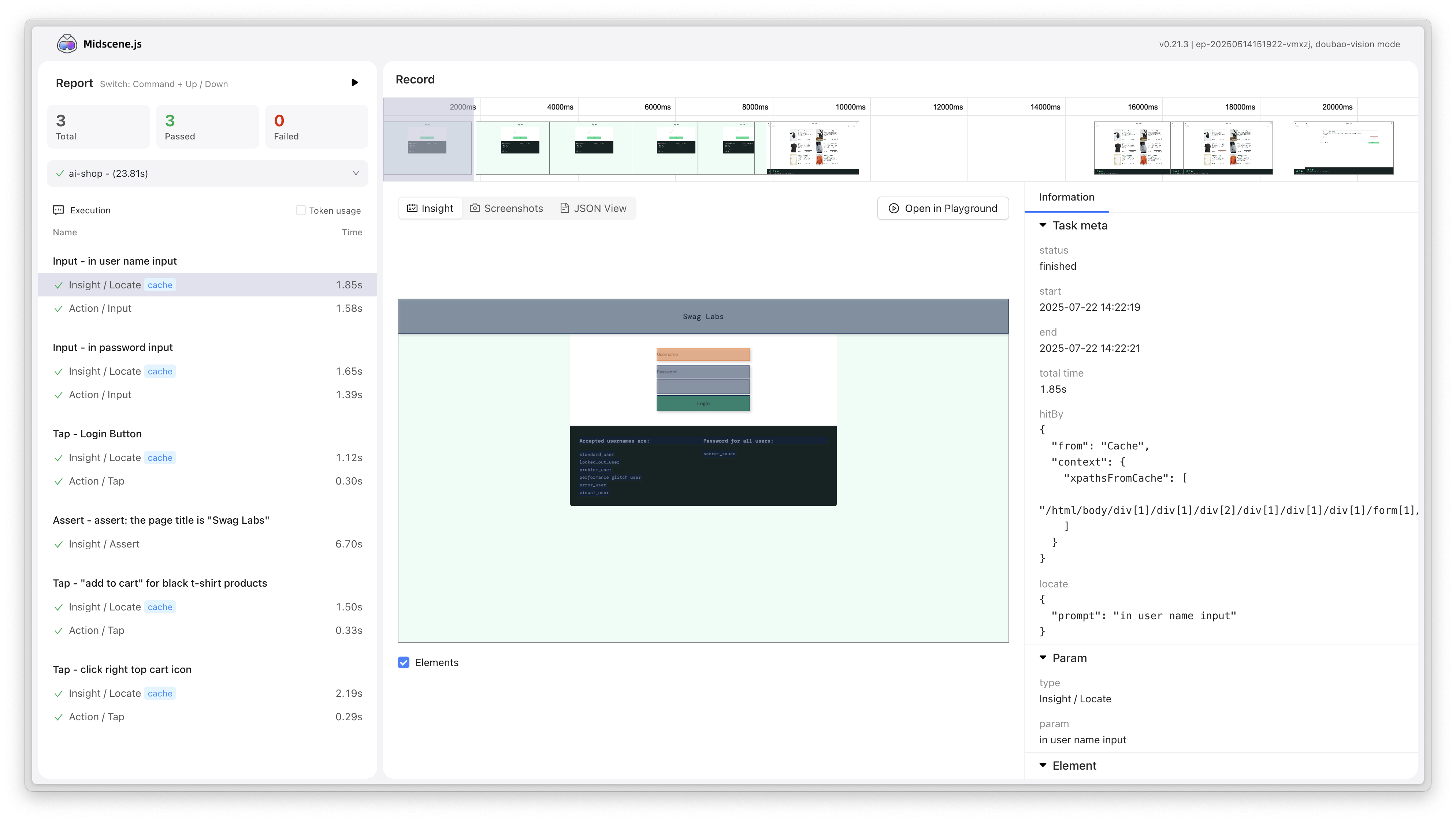
Report system upgrade
New report style
- New report style design, providing clearer and more beautiful test result display
- Optimize report layout and visual effects, improve user reading experience
- Enhance report readability and information hierarchy structure
YAML script ability enhancement
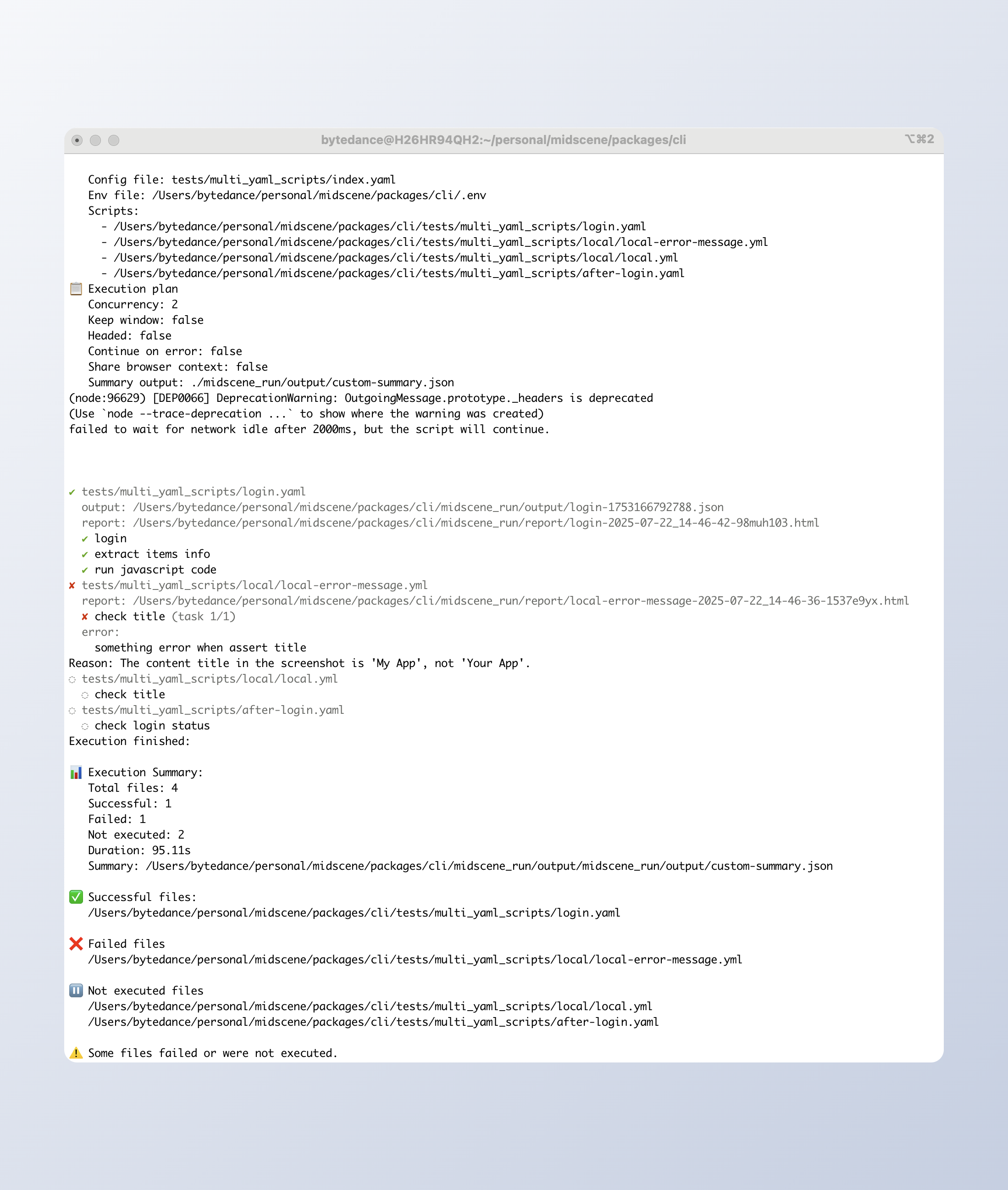
Support multiple YAML files batch execution
- New config mode support, support configure Yaml file running order, browser reuse strategy, parallelism
- Support getting JSON format running results
Test coverage enhancement
Android test enhancement
- New Android platform related test cases, improve code quality and stability
- Improve test coverage, ensure the reliability of Android features
v0.22- Chrome extension recording function released
Web integration enhancement
New recording function
- Chrome extension adds recording function, which can record user operations on the page and generate automation scripts
- Support recording click, input, scroll and other common operations, greatly reducing the threshold for writing automation scripts
- The recorded operations can be directly played back and debugged in the Playground
Upgrade to IndexedDB for storage
- Chrome extension's Playground and Bridge now use IndexedDB for data storage
- Compared to the previous storage scheme, it provides larger storage capacity and better performance
- Support storing more complex data structures, laying the foundation for future feature extensions
Customize replanning cycle limit
- Set the
MIDSCENE_REPLANNING_CYCLE_LIMITenvironment variable to customize the maximum number of re-planning cycles allowed when executing operations (aiAct). - The default value is 10. When the AI needs to re-plan more than this limit, an error will be thrown and suggest splitting the task.
- Provide more flexible task execution control, adapting to different automation scenarios
Android interaction optimization
New screenshot path generation
- Generate a unique file path for each screenshot to avoid file overwrite issues
- Improve stability in concurrent test scenarios
v0.21 - Chrome extension UI upgrade
Web integration enhancement
New chat-style user interface
- New chat-style user interface design for better user experience
Flexible timeout configuration
- Supports overriding timeout settings from test fixture, providing more flexible timeout control
- Applicable scenarios: Different test cases require different timeout settings
Unified Puppeteer and Playwright configuration
- New
waitForNavigationTimeoutandwaitForNetworkIdleTimeoutparameters for Playwright - Unified timeout options configuration for Puppeteer and Playwright, providing consistent API experience, reducing learning costs
New data export callback mechanism
- New
agent.onDumpUpdatecallback function, can get real-time notification when data is exported - Refactored the post-task processing flow to ensure the correct execution of asynchronous operations
- Applicable scenarios: Monitoring or processing exported data
Android interaction optimization
Input experience improvement
- Changed click input to slide operation, improving interaction response and stability
- Reduced operation failures caused by inaccurate clicks
v0.20 - Support for assigning XPath to locate elements
Web integration enhancement
New aiAsk method
- Allows direct questioning of the AI model to obtain string-formatted answers for the current page.
- Applicable scenarios: Tasks requiring AI reasoning such as Q&A on page content and information extraction.
- Example:
Support for passing XPath to locate elements
- Location priority: Specified XPath > Cache > AI model location.
- Applicable scenarios: When the XPath of an element is known and the AI model location needs to be skipped.
- Example:
Android improvement
Playground tasks can be cancelled
- Supports interrupting ongoing automation tasks to improve debugging efficiency.
Enhanced aiLocate API
- Returns the Device Pixel Ratio, which is commonly used to calculate the real coordinates of elements.
Report generation optimization
Improve report generation mechanism, from batch storage to single append, effectively reducing memory usage and avoiding memory overflow when the number of test cases is large.
v0.19 - Support for getting complete execution process data
New API for getting Midscene execution process data
Add the _unstableLogContent API to the agent. Get the execution process data of Midscene, including the time of each step, the AI tokens consumed, and the screenshot.
The report is generated based on this data, which means you can customize your own report using this data.
Read more: API documentation
CLI support for adjusting Midscene env variable priority
By default, dotenv does not override the global environment variables in the .env file. If you want to override, you can use the --dotenv-override option.
Read more: Use YAML-based Automation Scripts
Reduce report file size
Reduce the size of the generated report by trimming redundant data, significantly reducing the report file size for complex pages. The typical report file size for complex pages has been reduced from 47.6M to 15.6M!
v0.18 - Enhanced reporting features
🚀 Midscene has another update! It makes your testing and automation processes even more powerful:
Custom node in report
-
Add the
recordToReportAPI to the agent. Take a screenshot of the current page as a report node, and support setting the node title and description to make the automated testing process more intuitive. Applicable for capturing screenshots of key steps, error status capture, UI validation, etc. -
Example:
Support for downloading reports as videos
- Support direct video download from the report player, just by clicking the download button on the player interface.
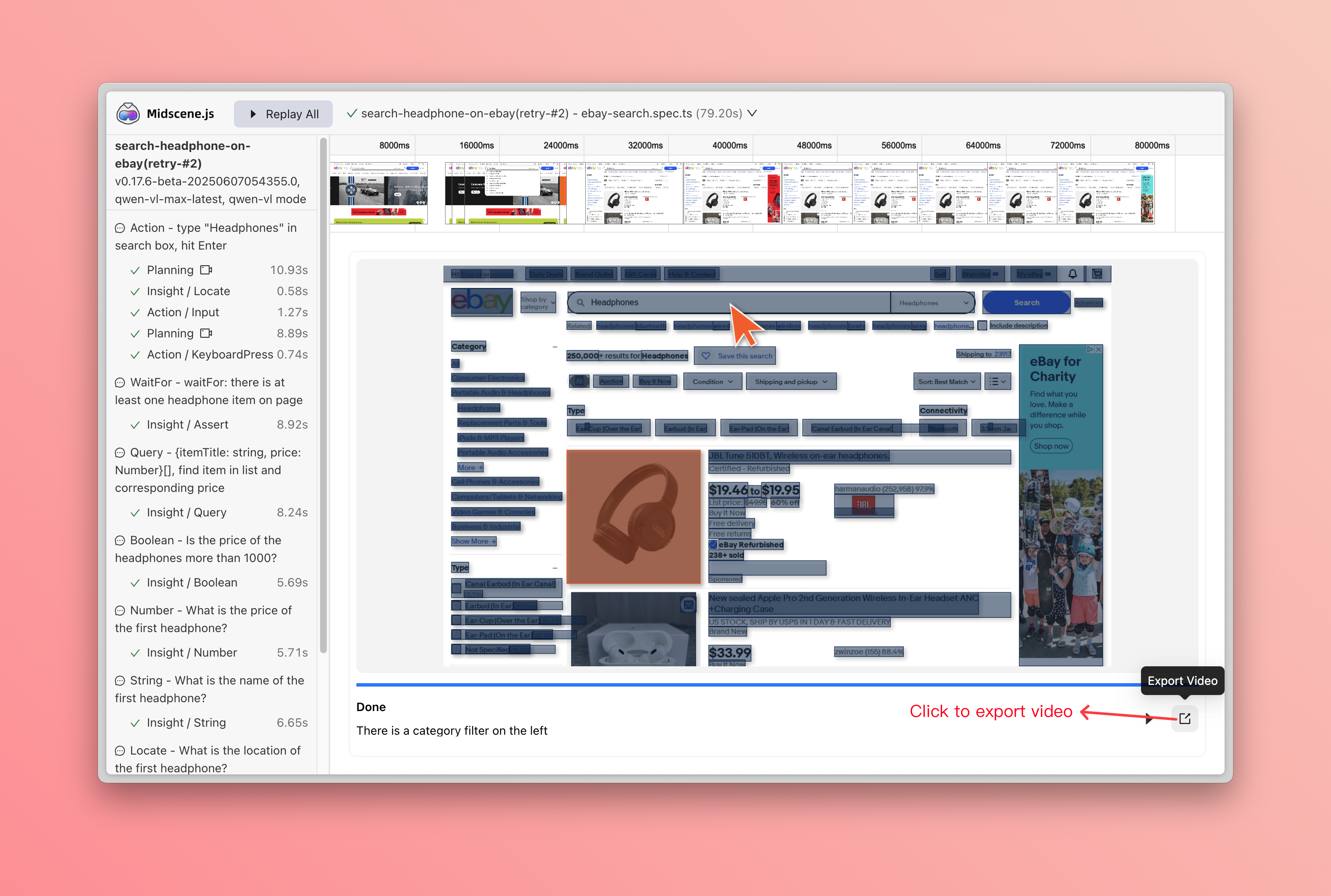
- Applicable scenarios: Share test results, archive reproduction steps, and demonstrate problem reproduction.
More Android configurations exposed
-
Optimize input interactions in Android apps and allow connecting to remote Android devices
-
autoDismissKeyboard?: boolean- Optional parameter. Whether to automatically dismiss the keyboard after entering text. The default value is true. -
androidAdbPath?: string- Optional parameter. Used to specify the path of the adb executable file. -
remoteAdbHost?: string- Optional parameter. Used to specify the remote adb host. -
remoteAdbPort?: number- Optional parameter. Used to specify the remote adb port.
-
-
Examples:
Upgrade now to experience these powerful new features!
v0.17 - Let AI see the DOM of the page
Data query API enhanced
To meet more automation and data extraction scenarios, the following APIs have been enhanced with the options parameter, supporting more flexible DOM information and screenshots:
agent.aiQuery(dataDemand, options)agent.aiBoolean(prompt, options)agent.aiNumber(prompt, options)agent.aiString(prompt, options)
New options parameter
domIncluded: Whether to pass the simplified DOM information to AI model, default is off. This is useful for extracting attributes that are not visible on the page, like image links.screenshotIncluded: Whether to pass the screenshot to AI model, default is on.
Code example
New right-click ability
Have you ever encountered a scenario where you need to automate a right-click operation? Now, Midscene supports a new agent.aiRightClick() method!
Function
Perform a right-click operation on the specified element, suitable for scenarios where right-click events are customized on web pages. Please note that Midscene cannot interact with the browser's native context menu after right-click.
Parameter description
locate: Describe the element you want to operate in natural languageoptions: Optional, supportsdeepThink(AI fine-grained positioning) andcacheable(result caching)
Example
A complete example
In this report file, we show a complete example of using the new aiRightClick API and new query parameters to extract contact data including hidden attributes.
Report file: puppeteer-2025-06-04_20-34-48-zyh4ry4e.html
The corresponding code can be found in our example repository: puppeteer-demo/extract-data.ts
Refactor cache
Use xpath cache instead of coordinates, improve cache hit rate.
Refactor cache file format from json to yaml, improve readability.
v0.16 - Support MCP
Midscene MCP
🤖 Use Cursor / Trae to help write test cases. 🕹️ Quickly implement browser operations akin to the Manus platform. 🔧 Integrate Midscene capabilities swiftly into your platforms and tools.
Read more: MCP
Support structured API for agent
APIs: aiBoolean, aiNumber, aiString, aiLocate
Read more: Use JavaScript to Optimize the AI Automation Code
v0.15 - Android automation unlocked!
Android automation unlocked!
🤖 AI Playground: natural‑language debugging 📱 Supports native, Lynx & WebView apps 🔁 Replayable runs 🛠️ YAML or JS SDK ⚡ Auto‑planning & Instant Actions APIs
Read more: Android automation
More features
- Allow custom midscene_run dir
- Enhance report filename generation with unique identifiers and support split mode
- Enhance timeout configurations and logging for network idle and navigation
- Adapt for gemini-2.5-pro
v0.14 - Instant actions
"Instant Actions" introduces new atomic APIs, enhancing the accuracy of AI operations.
Read more: Instant Actions
v0.13 - DeepThink mode
Atomic AI interaction methods
- Supports aiTap, aiInput, aiHover, aiScroll, and aiKeyboardPress for precise AI actions.
DeepThink mode
- Enhances click accuracy with deeper contextual understanding.
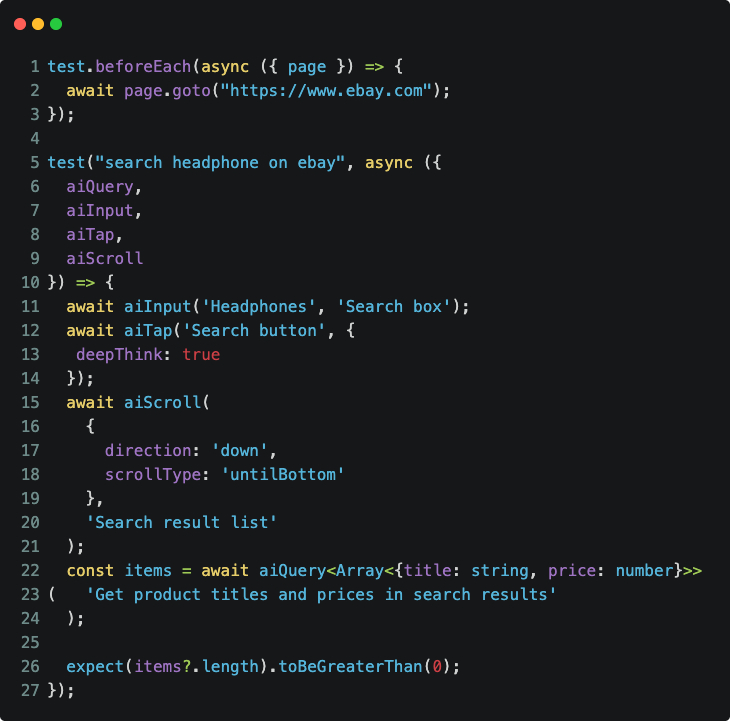
v0.12 - Integrate Qwen 2.5 VL
Integrate Qwen 2.5 VL's native capabilities
- Keeps output accuracy.
- Supports more element interactions.
- Cuts operating cost by over 80%.
v0.11.0 - UI-TARS model caching
UI-TARS model support caching
-
Enable caching by document 👉 : Enable Caching
-
Enable effect
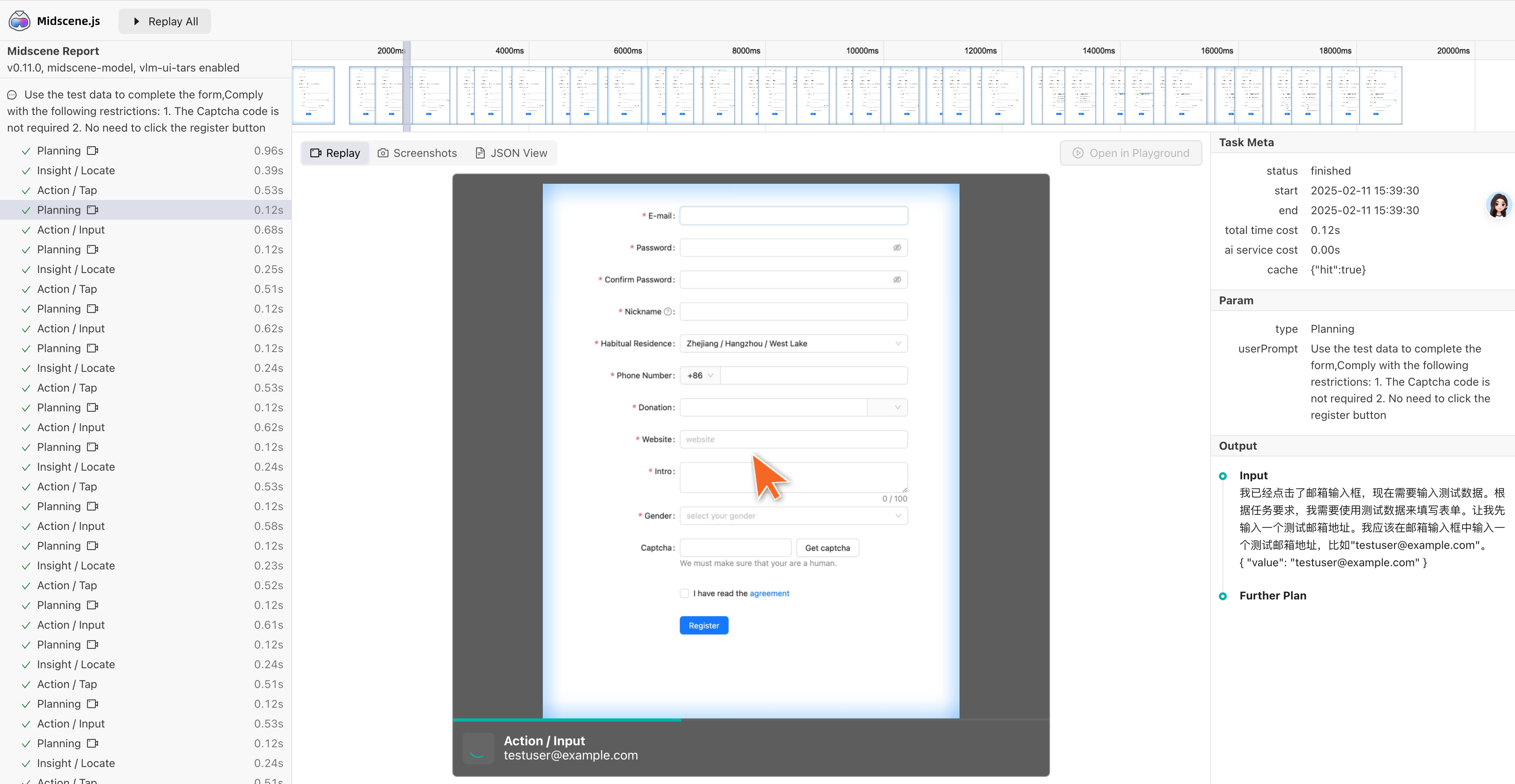
Optimize DOM tree extraction strategy
- Optimize the information ability of the dom tree, accelerate the inference process of models like GPT 4o
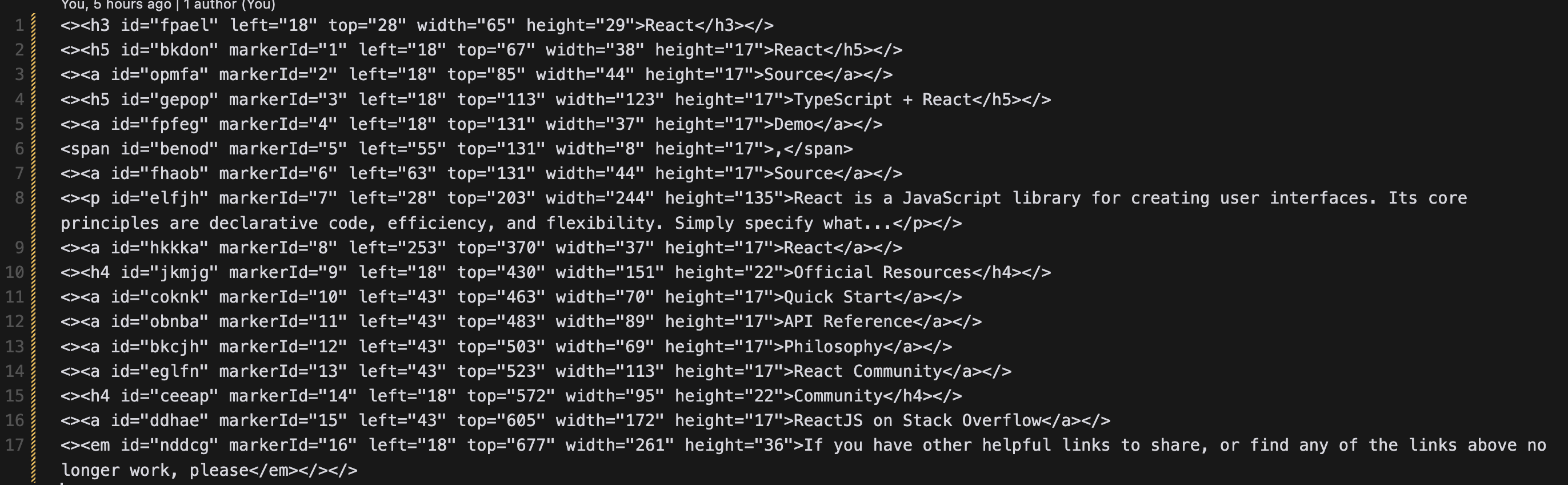
v0.10.0 - UI-TARS model released
UI-TARS is a Native GUI agent model released by the Seed team. It is named after the TARS robot in the movie Star Trek, which has high intelligence and autonomous thinking capabilities. UI-TARS takes images and human instructions as input information, can correctly perceive the next action, and gradually approach the goal of human instructions, leading to the best performance in various benchmark tests of GUI automation tasks compared to open-source and closed-source commercial models.
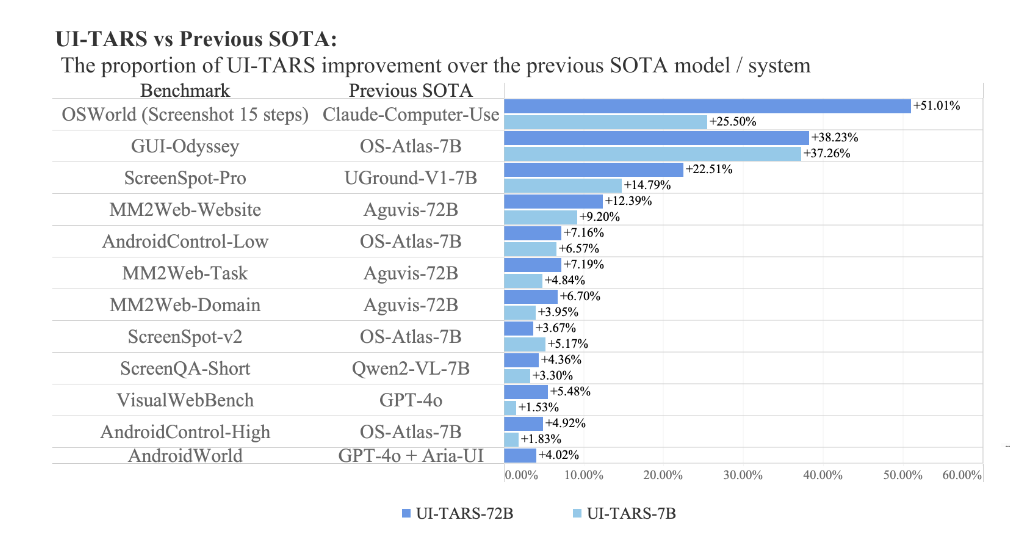
UI-TARS: Pioneering Automated GUI Interaction with Native Agents - Figure 1
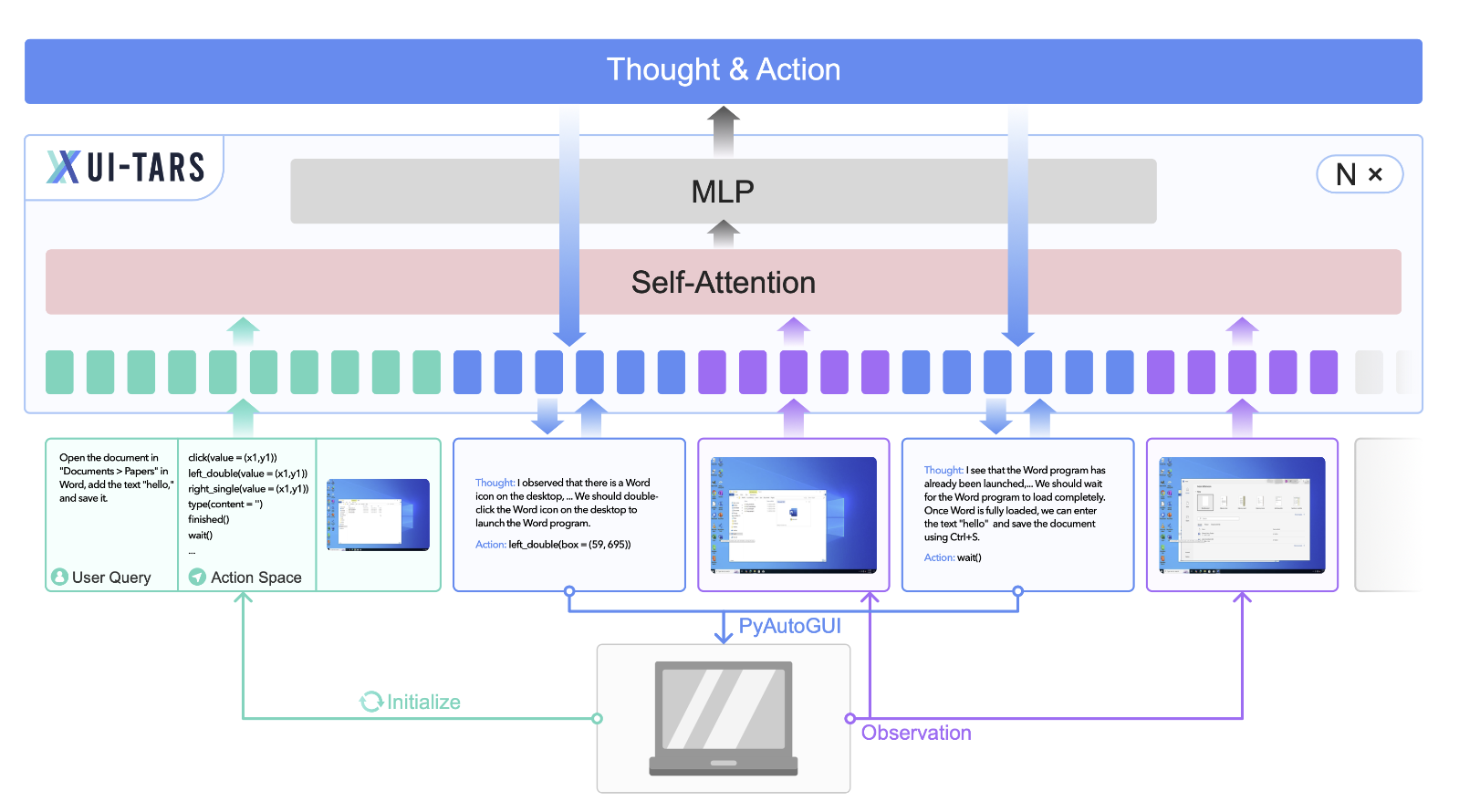
UI-TARS: Pioneering Automated GUI Interaction with Native - Figure 4
Model advantage
UI-TARS has the following advantages in GUI tasks:
-
Target-driven
-
Fast inference speed
-
Native GUI agent model
-
Private deployment without data security issues
v0.9.0 - Bridge mode released
With the Midscene browser extension, you can now use scripts to link with the desktop browser for automated operations!
We call it "Bridge Mode".
Compared to previous CI environment debugging, the advantages are:
-
You can reuse the desktop browser, especially Cookie, login state, and front-end interface state, and start automation without worrying about environment setup.
-
Support manual and script cooperation to improve the flexibility of automation tools.
-
Simple business regression, just run it locally with Bridge Mode.
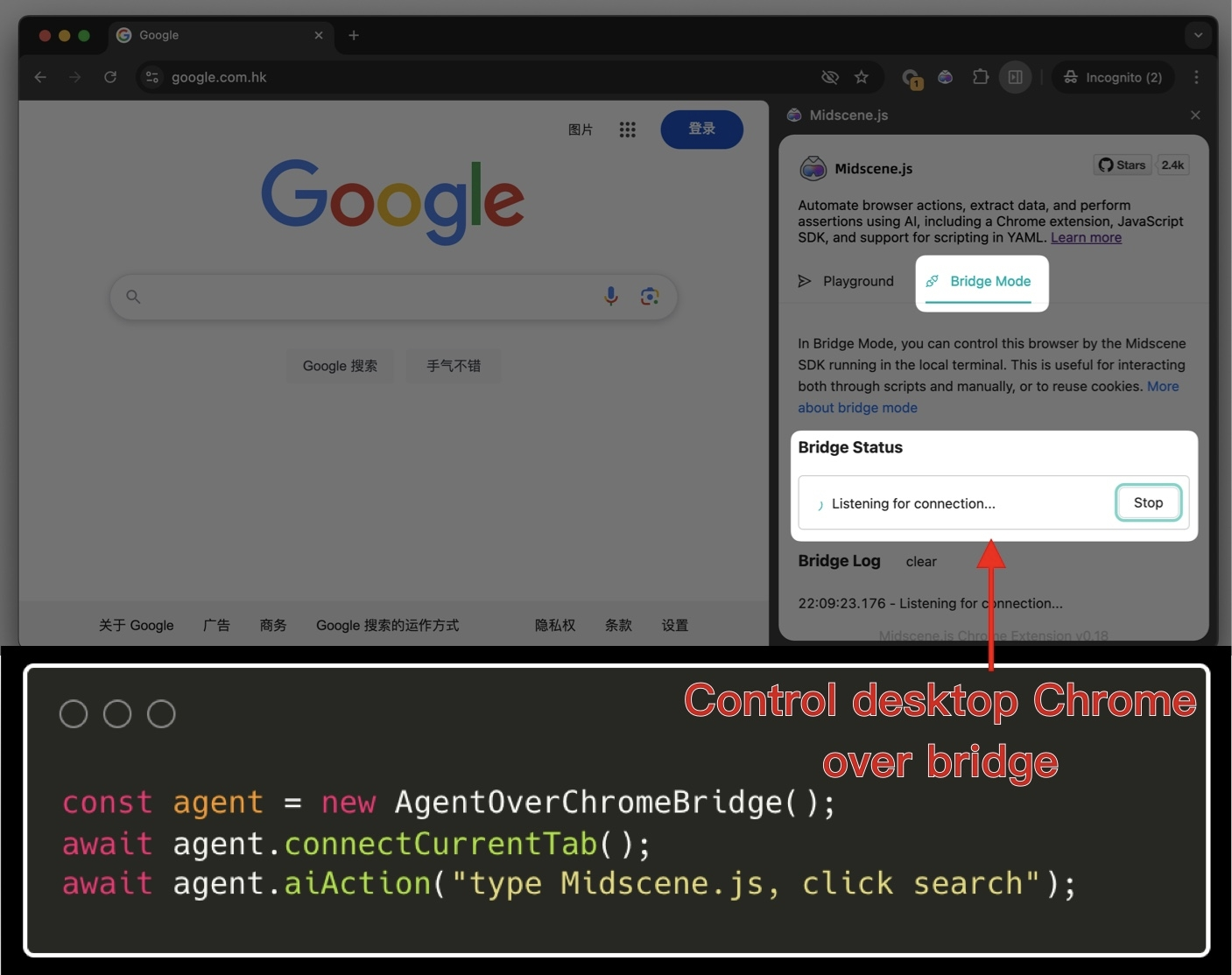
Documentation: Use Chrome Extension to Experience Midscene
v0.8.0 - Chrome extension
New Chrome extension, run Midscene anywhere
Through the Midscene browser extension, you can run Midscene on any page, without writing any code.
Experience it now 👉: Use Chrome Extension to Experience Midscene
v0.7.0 - Playground ability
Playground ability, debug anytime
Now you don't have to keep re-running scripts to debug prompts!
On the new test report page, you can debug the AI execution results at any time, including page operations, page information extraction, and page assertions.
v0.6.0 - Doubao model support
Doubao model support
- Support for calling Doubao models, reference the environment variables below to experience.
Summarize the availability of Doubao models:
-
Currently, Doubao only has pure text models, which means "seeing" is not available. In scenarios where pure text is used for reasoning, it performs well.
-
If the use case requires combining UI analysis, it is completely unusable
Example:
✅ The price of a multi-meat grape (can be guessed from the order of the text on the interface)
✅ The language switch text button (can be guessed from the text content on the interface: Chinese, English text)
❌ The left-bottom play button (requires image understanding, failed)
Support for GPT-4o structured output, cost reduction
By using the gpt-4o-2024-08-06 model, Midscene now supports structured output (structured-output) features, ensuring enhanced stability and reduced costs by 40%+.
Midscene now supports hitting GPT-4o prompt caching features, and the cost of AI calls will continue to decrease as the company's GPT platform is deployed.
Test report: support animation playback
Now you can view the animation playback of each step in the test report, quickly debug your running script
Speed up: merge plan and locate operations, response speed increased by 30%
In the new version, we have merged the Plan and Locate operations in the prompt execution to a certain extent, which increases the response speed of AI by 30%.
Before
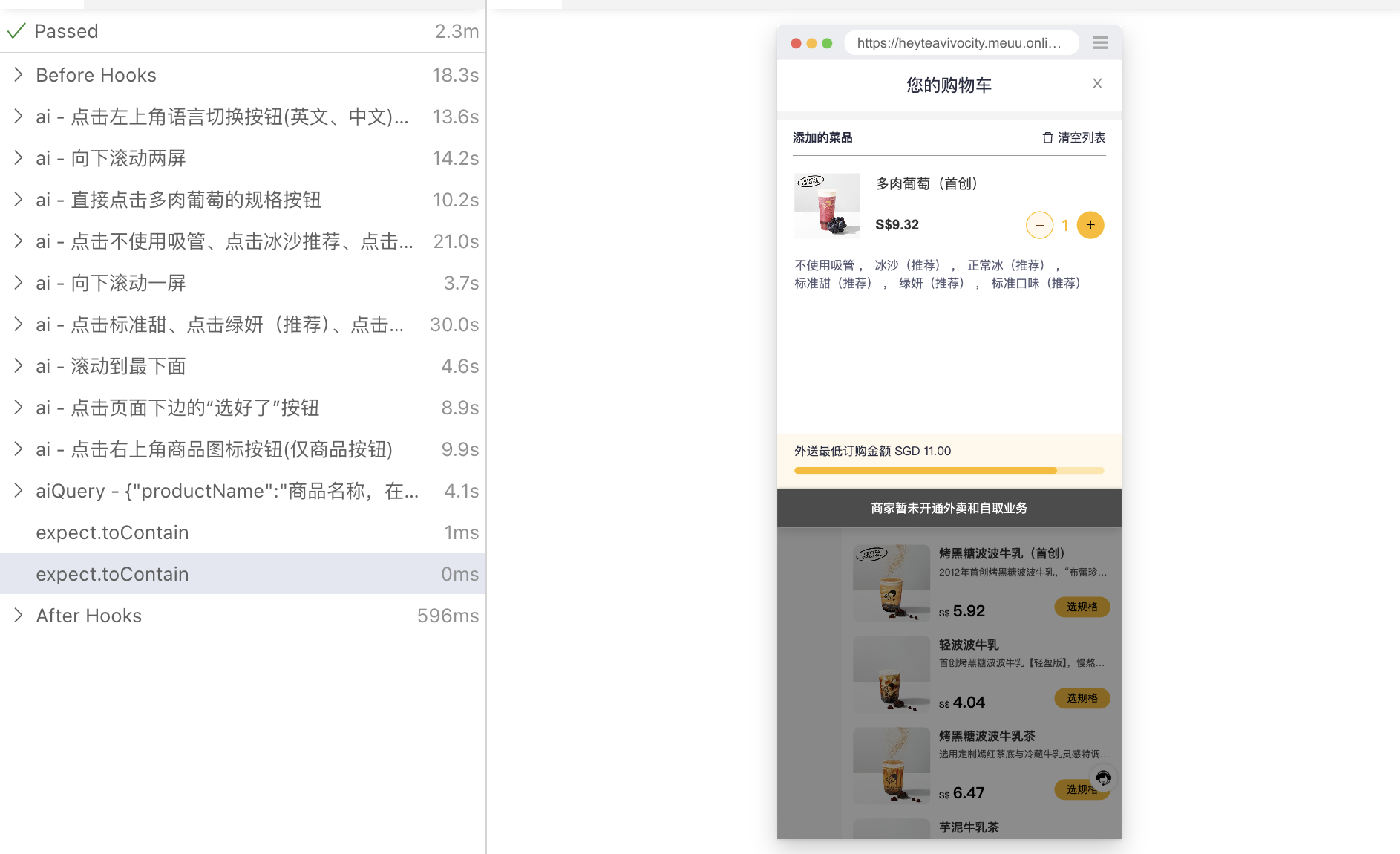
after
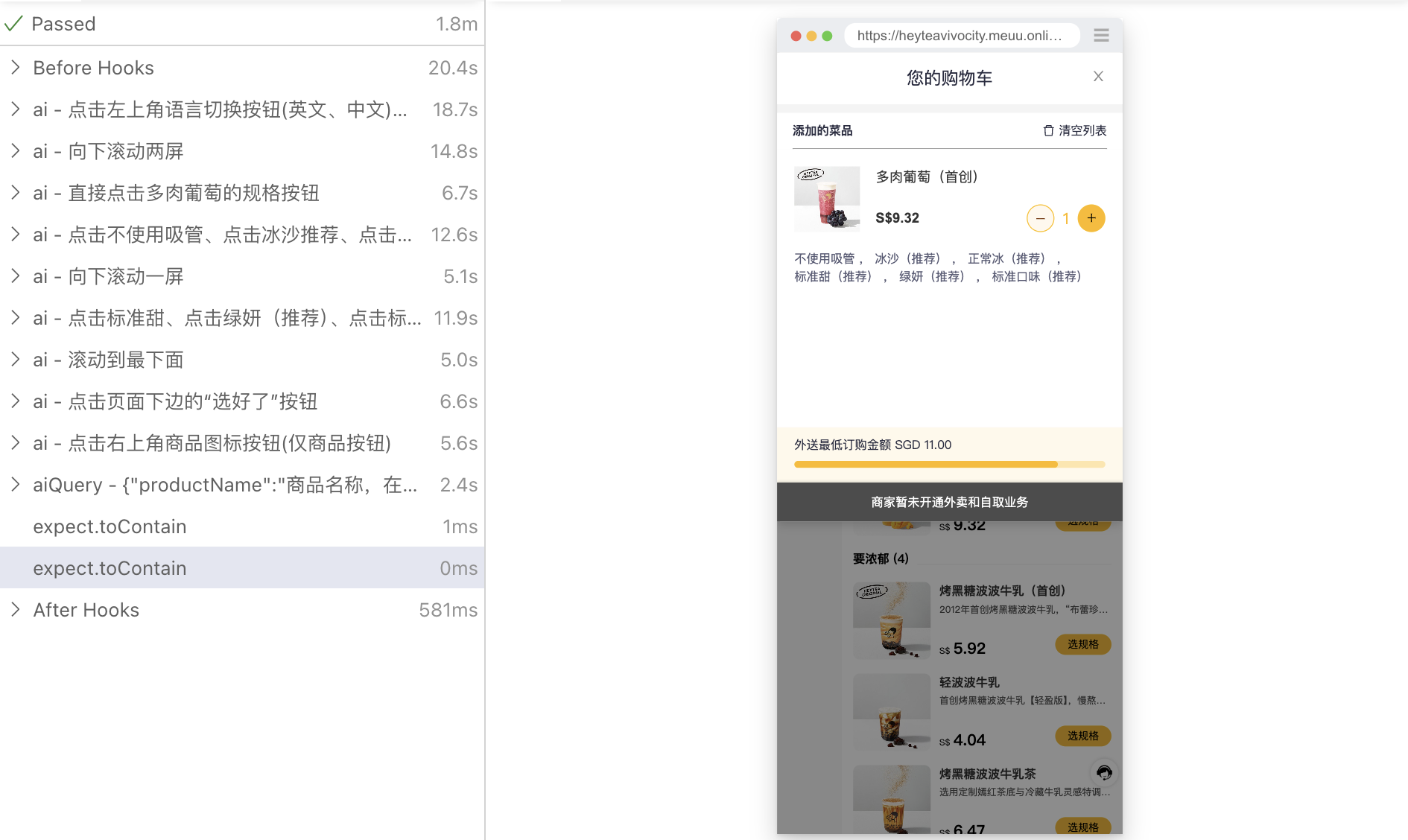
Test report: the accuracy of different models
-
GPT 4o series models, 100% correct rate
-
doubao-pro-4k pure text model, approaching usable state
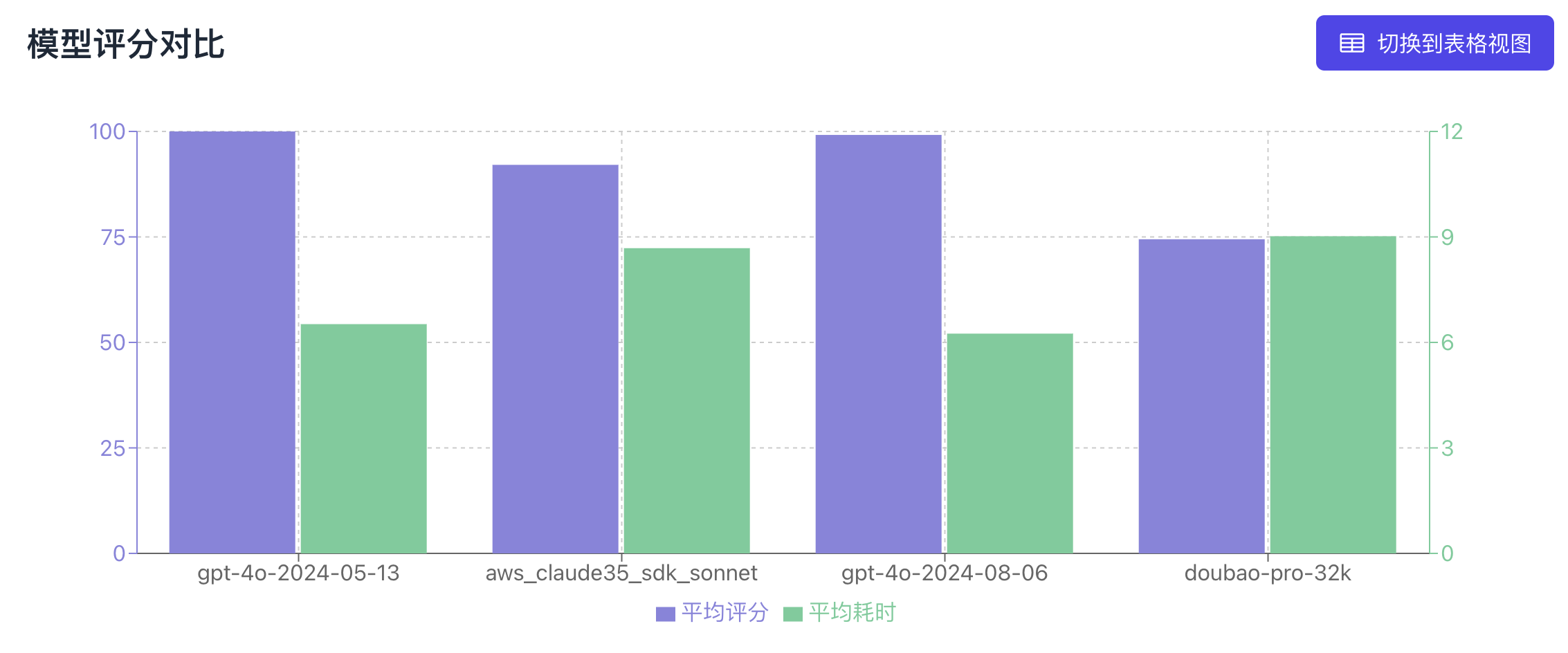
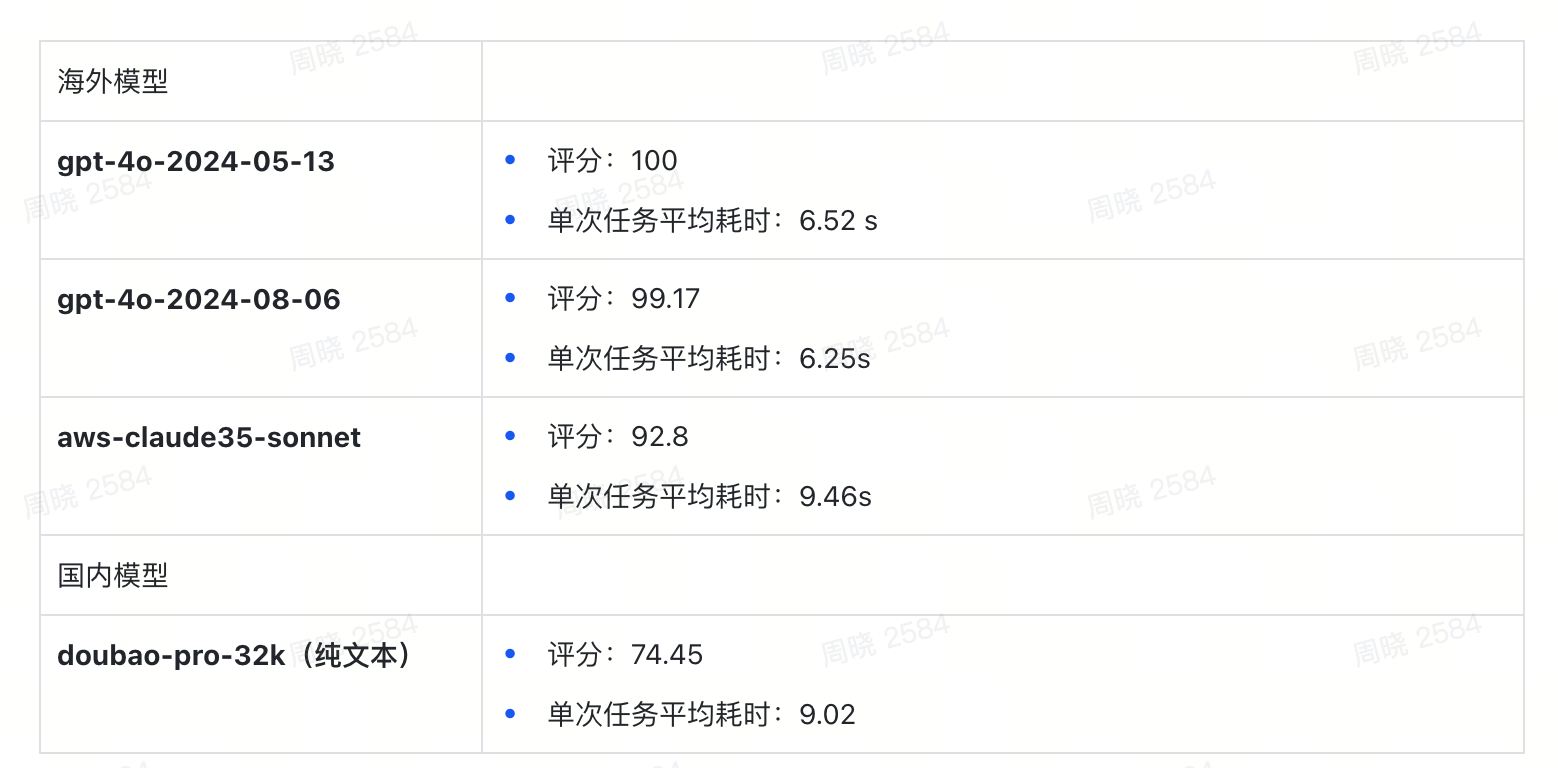
Problem fix
- Optimize the page information extraction to avoid collecting obscured elements, improving success rate, speed, and AI call cost 🚀
before
after
v0.5.0 - Support GPT-4o structured output
New features
- Support for gpt-4o-2024-08-06 model to provide 100% JSON format limit, reducing Midscene task planning hallucination behavior
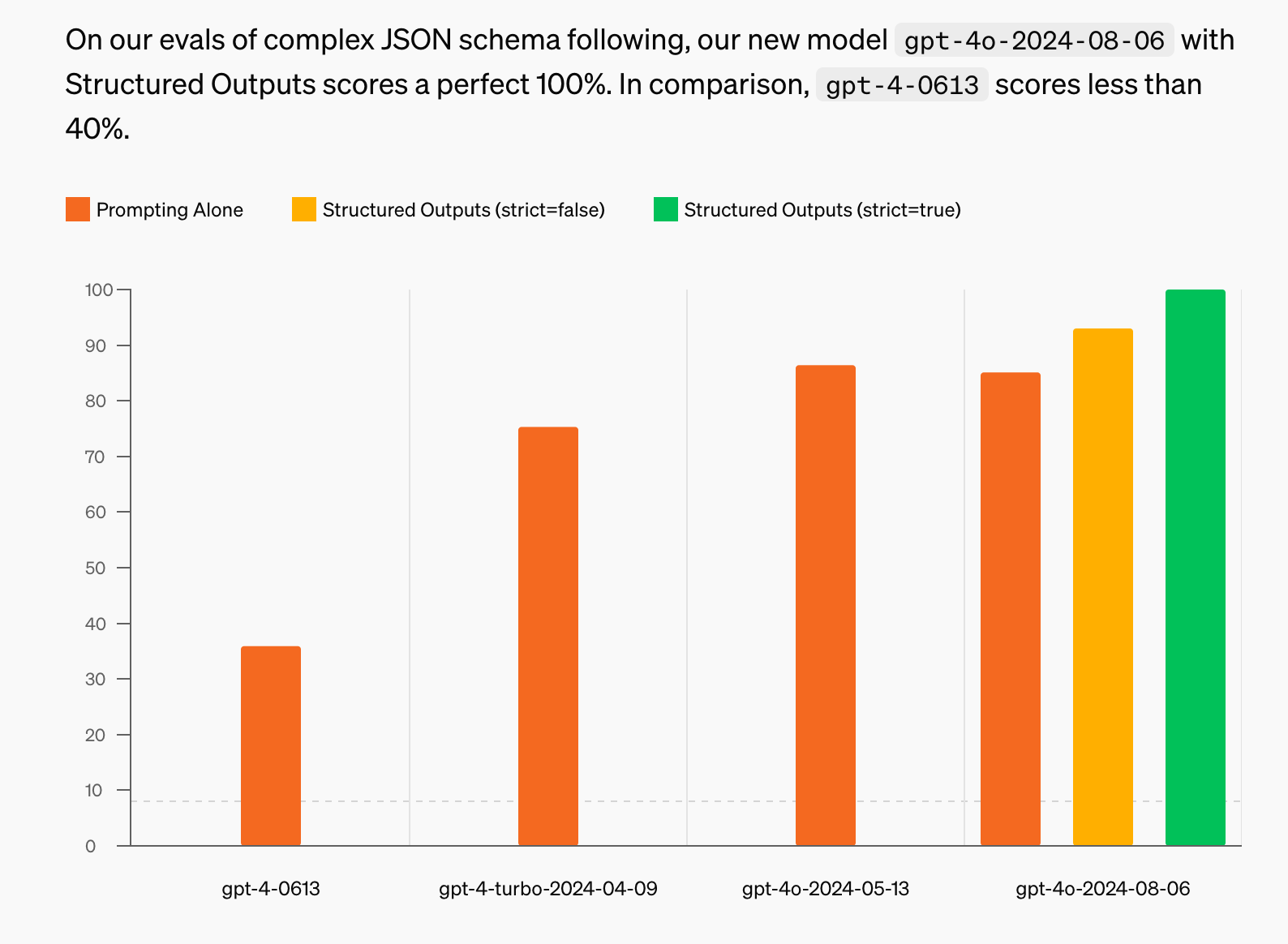
- Support for Playwright AI behavior real-time visualization, improve the efficiency of troubleshooting
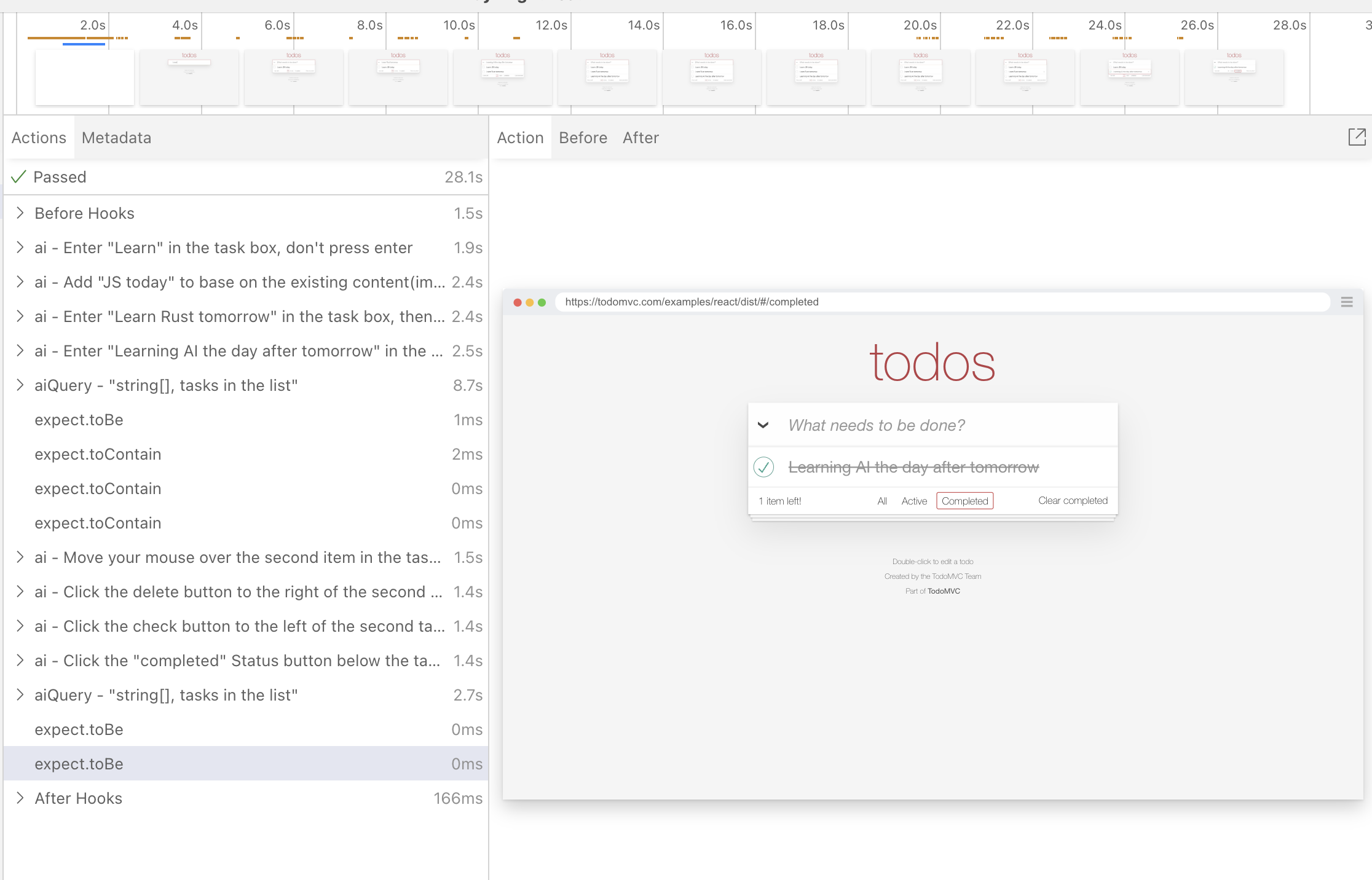
- Cache generalization, cache capabilities are no longer limited to playwright, pagepass, puppeteer can also use cache
-
Support for azure openAI
-
Support for AI to add, delete, and modify the existing input
Problem fix
-
Optimize the page information extraction to avoid collecting obscured elements, improving success rate, speed, and AI call cost 🚀
-
During the AI interaction process, unnecessary attribute fields were trimmed, reducing token consumption.
-
Optimize the AI interaction process to reduce the likelihood of hallucination in KeyboardPress and Input events
-
For pagepass, provide an optimization solution for the flickering behavior that occurs during the execution of Midscene
v0.4.0 - Support CLI usage
New features
- Support for Cli usage, reducing the usage threshold of Midscene
-
Support for AI to wait for a certain time to continue the subsequent task execution
-
Playwright AI task report shows the overall time and aggregates AI tasks by test group
Problem fix
- Optimize the AI interaction process to reduce the likelihood of hallucination in KeyboardPress and Input events
v0.3.0 - Support AI report HTML
New features
- Generate html format AI report, aggregate AI tasks by test group, facilitate test report distribution
Problem fix
- Fix the problem of AI report scrolling preview
v0.2.0 - Control Puppeteer by natural language
New features
-
Support for using natural language to control puppeteer to implement page automation 🗣️💻
-
Provide AI cache capabilities for playwright framework, improve stability and execution efficiency
-
AI report visualization, aggregate AI tasks by test group, facilitate test report distribution
-
Support for AI to assert the page, let AI judge whether the page meets certain conditions
v0.1.0 - Control Playwright by natural language
New features
-
Support for using natural language to control puppeteer to implement page automation 🗣️💻
-
Support for using natural language to extract page information 🔍🗂️
-
AI report visualization, AI behavior, AI thinking visualization 🛠️👀
-
Direct use of GPT-4o model, no training required 🤖🔧